
How Search Engines Work: Crawling, Indexing, and Ranking Explained

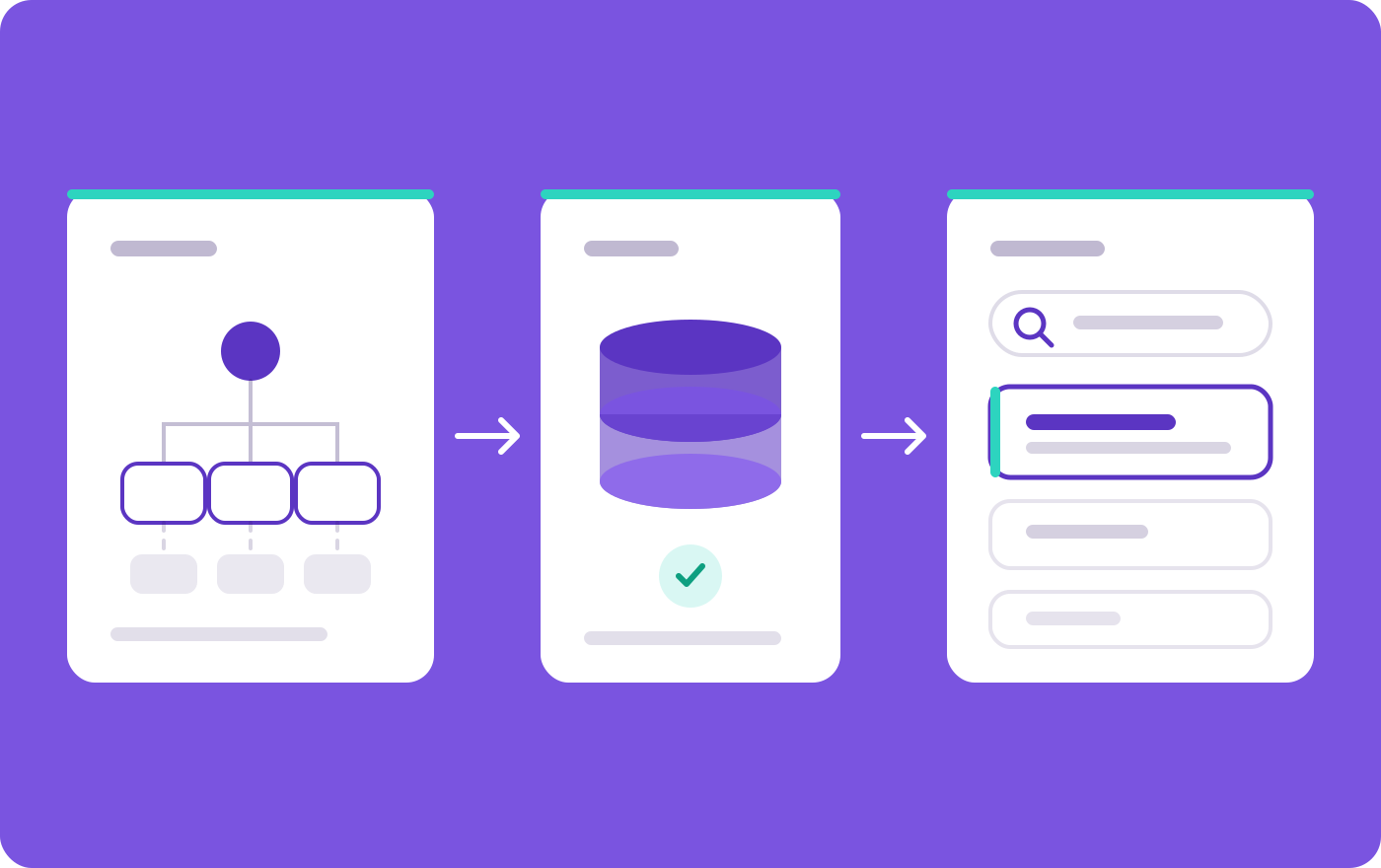
Search engines work in three stages:
- crawling,
- indexing and
- serving search results.
A search engine crawls a page to download it, indexes the page to understand and store it, and serves the page by retrieving and ranking it when someone searches relevant queries.
Google names exactly these three stages in its own documentation, and Google places ranking inside the serving stage.
As you can see, I named four steps in the title (crawling, indexing, ranking and serving) because ranking and serving fail for different reasons.
I also covers two steps that most explanations skip: URL discovery, which happens before crawling, and rendering, which happens between crawling and indexing.
Therefore, the ultimate pathway would be,
Discover → Crawl → Render → Index → Rank → Serve
You can say every step is a filter like google itself states that it does not guarantee to crawl, index or serve any page, even a page that follows every Google guideline.
A page missing from Google search results is stuck at one specific step, and each step leaves different evidence in Google Search Console.
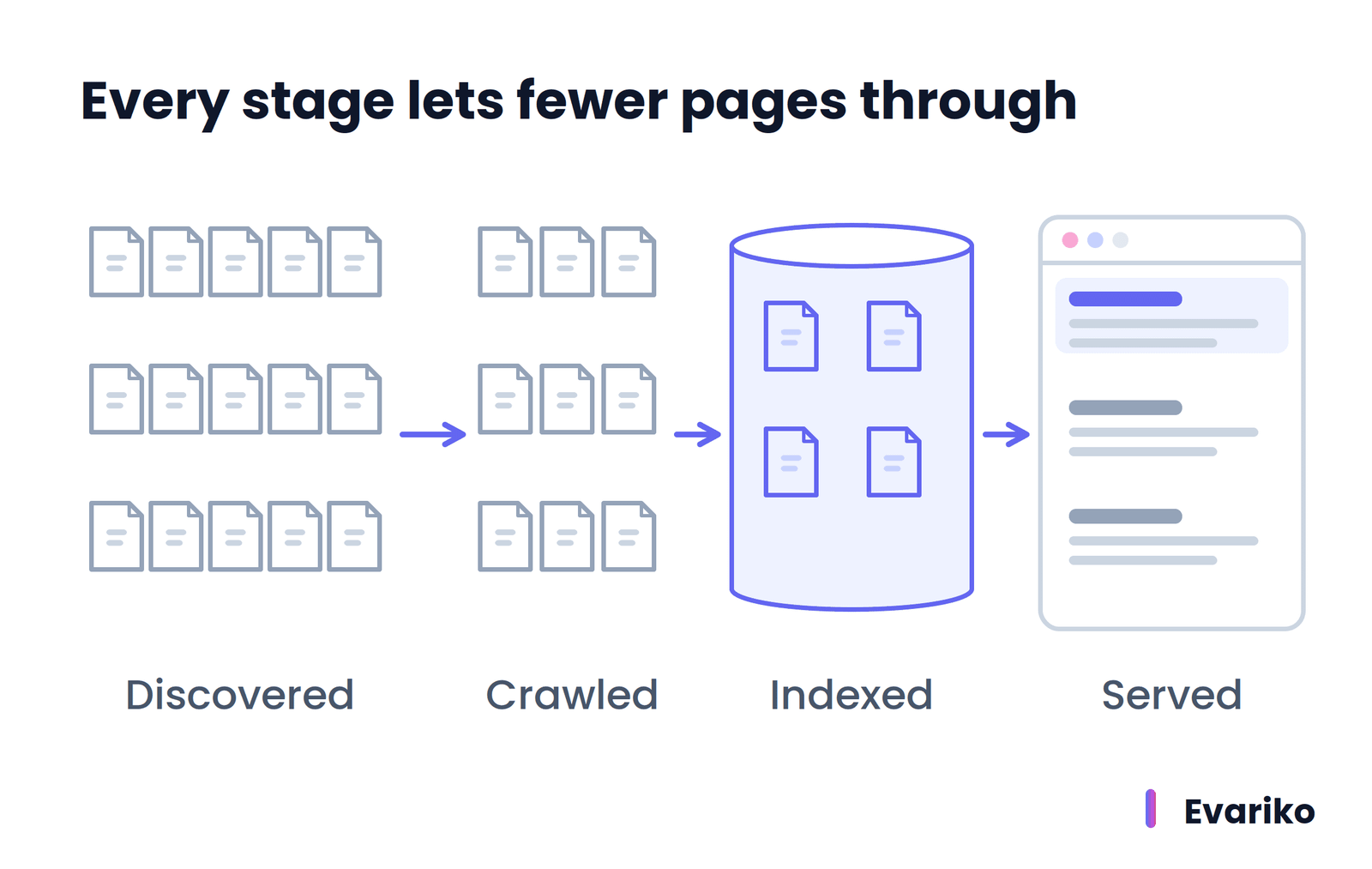
The sections below follow the pipeline in order: discovery, crawling, rendering, indexing, ranking and serving, then AI Overviews, then a stage-by-stage diagnostic for pages that do not appear.
Google is the worked example throughout, because Google documents its process publicly. Bing and other search engines run their own crawlers and indexes on the same philosophy.
What Are the Three Stages of How Search Engines Work?
The three stages of how search engines work are crawling, indexing and serving search results. Crawling downloads a page. Indexing analyzes the page and stores it in the search index. Serving returns the most relevant indexed pages, in ranked order, when someone types a search query.
Google’s “In-depth guide to how Google Search works” (Google Search Central, last updated 18 December 2025) lists these three stages and no others. Ranking is not a fourth Google stage. Ranking is the part of serving where Google’s systems put matching pages in order.
Why Do Some Guides Name Four Stages Instead of Three?
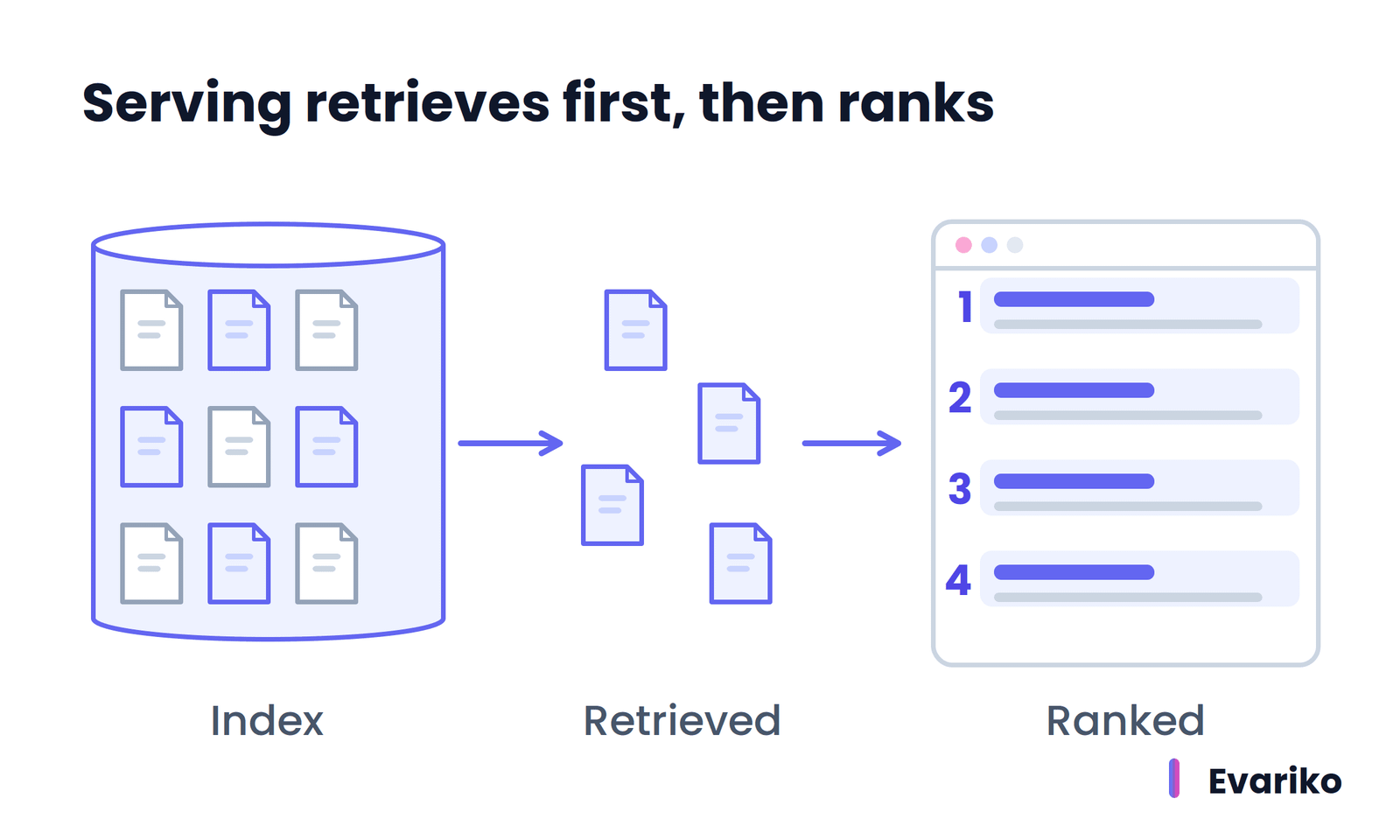
Some guides name four stages because they separate ranking from serving. The serving stage contains two different jobs. The first job is retrieval: Google’s systems search the index for pages that match the query. The second job is ranking: Google’s systems order those matching pages by relevance and quality.
Google’s own documentation groups the process differently in two places. The “How Google Search works” guide names three stages (crawling, indexing, serving). Google’s “Understand the JavaScript SEO basics” guide names three different phases for JavaScript pages (crawling, rendering, indexing). Both framings describe the same system. The three-stage framing groups the work by what Google produces at the end of each stage. The longer framing groups the work by where pages actually fail.
The distinction matters for diagnosis. A page that Google never retrieves for a query has an indexing or relevance problem. A page that Google retrieves but ranks on page five has a ranking problem. The fix for each is different.
What Happens at Each Step of the Search Pipeline?
The table below breaks the three Google stages into the six steps a page passes through, with what the site owner controls at each step and the most common failure.
| Step | What the search engine does | What the site owner controls | Most common failure |
|---|---|---|---|
| 1. Discovery | Finds the URL through links, XML sitemaps and earlier crawls | Internal links, sitemap entries | Orphan page with no links and no sitemap entry |
| 2. Crawling | Googlebot requests the URL and downloads the response | robots.txt rules, server health, HTTP status codes | robots.txt block, server errors, login wall |
| 3. Rendering | Runs the page’s JavaScript in a browser engine to build the final page | How content is delivered (server HTML or JavaScript) | Content that only exists after JavaScript runs, and the JavaScript fails |
| 4. Indexing | Analyzes content, groups duplicates, chooses a canonical URL, stores it | noindex rules, canonical tags, content uniqueness | Crawled but not indexed, or another URL chosen as canonical |
| 5. Ranking | Orders matching indexed pages by relevance and quality | Relevance to the query, content quality, usability | Indexed, but ranked too low to be seen |
| 6. Serving | Builds the results page with snippets and search features | Snippet controls, structured data | Indexed, but not shown for the queries that matter |
Steps 1 to 3 belong to Google’s crawling stage. Step 4 is Google’s indexing stage. Steps 5 and 6 are Google’s serving stage.
How Do Search Engines Find New Pages?
Search engines find new pages through URL discovery: following links from pages they already know, reading XML sitemaps that site owners submit, and revisiting URLs from earlier crawls. Google states that there is no central registry of all web pages, so Google must constantly look for new and updated URLs.
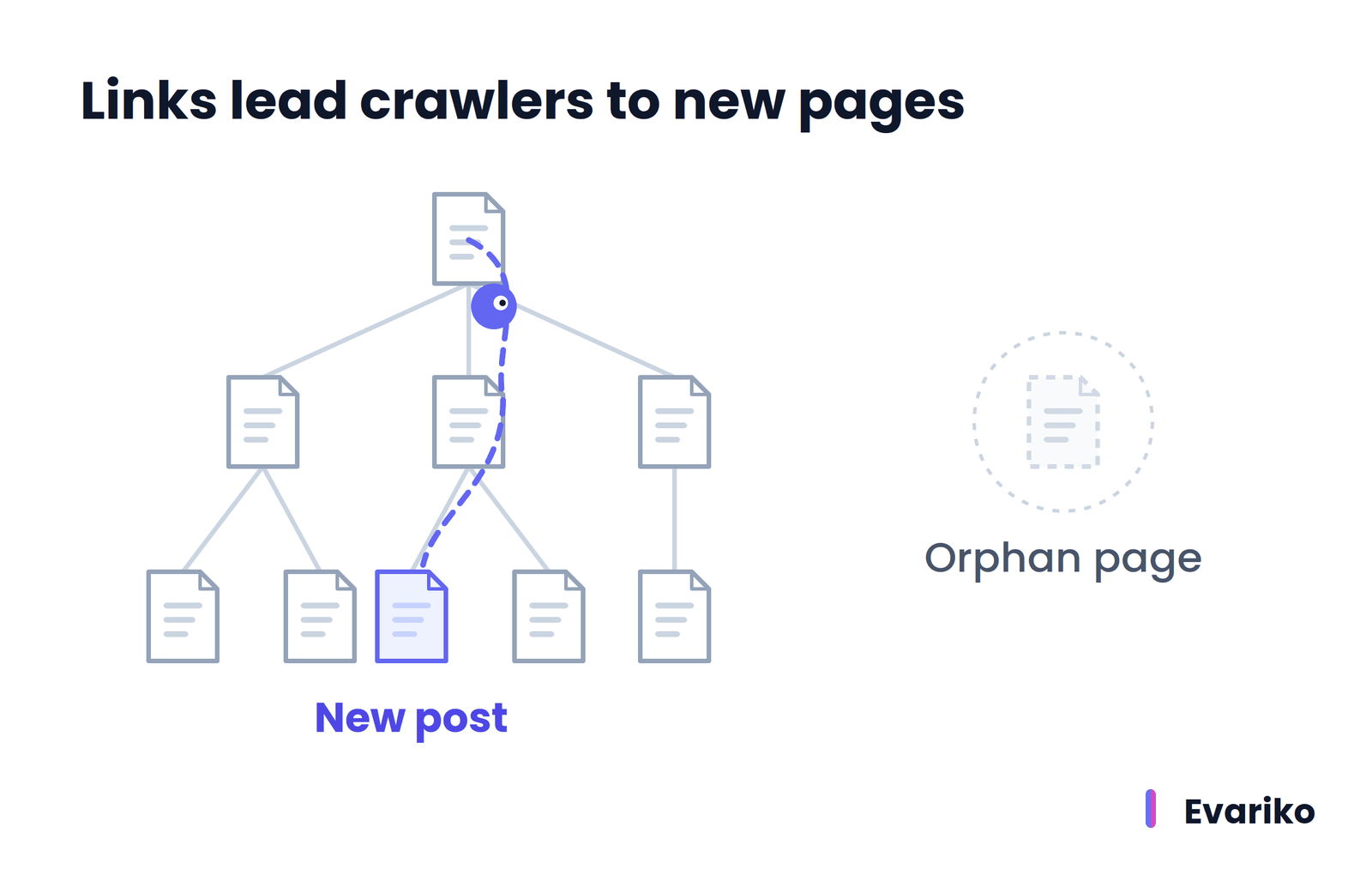
Links are the main discovery path. When a category page links to a new blog post, Google extracts that link the next time the category page is crawled and adds the blog post to its list of known URLs. Google states that the vast majority of pages in its results are found this way, not submitted by hand.
From the site owner’s side, discovery fails silently. A new page with no internal links pointing to it and no sitemap entry (an orphan page) has no discovery path except links from other websites. Google Search Console reports such a URL as unknown to Google when the URL Inspection tool checks it.
What Does an XML Sitemap Do for Discovery?
An XML sitemap is a file that lists the URLs a site owner wants search engines to discover. Google describes the sitemap as an important way to discover URLs on a site, especially for a newly launched site or a site that recently moved to new URLs. A sitemap also carries extra information about alternate language versions, images, videos and news pages.
A sitemap is a discovery signal, not an indexing instruction. Listing a URL in a sitemap tells Google the URL exists. Listing a URL does not make Google crawl it immediately or index it at all.
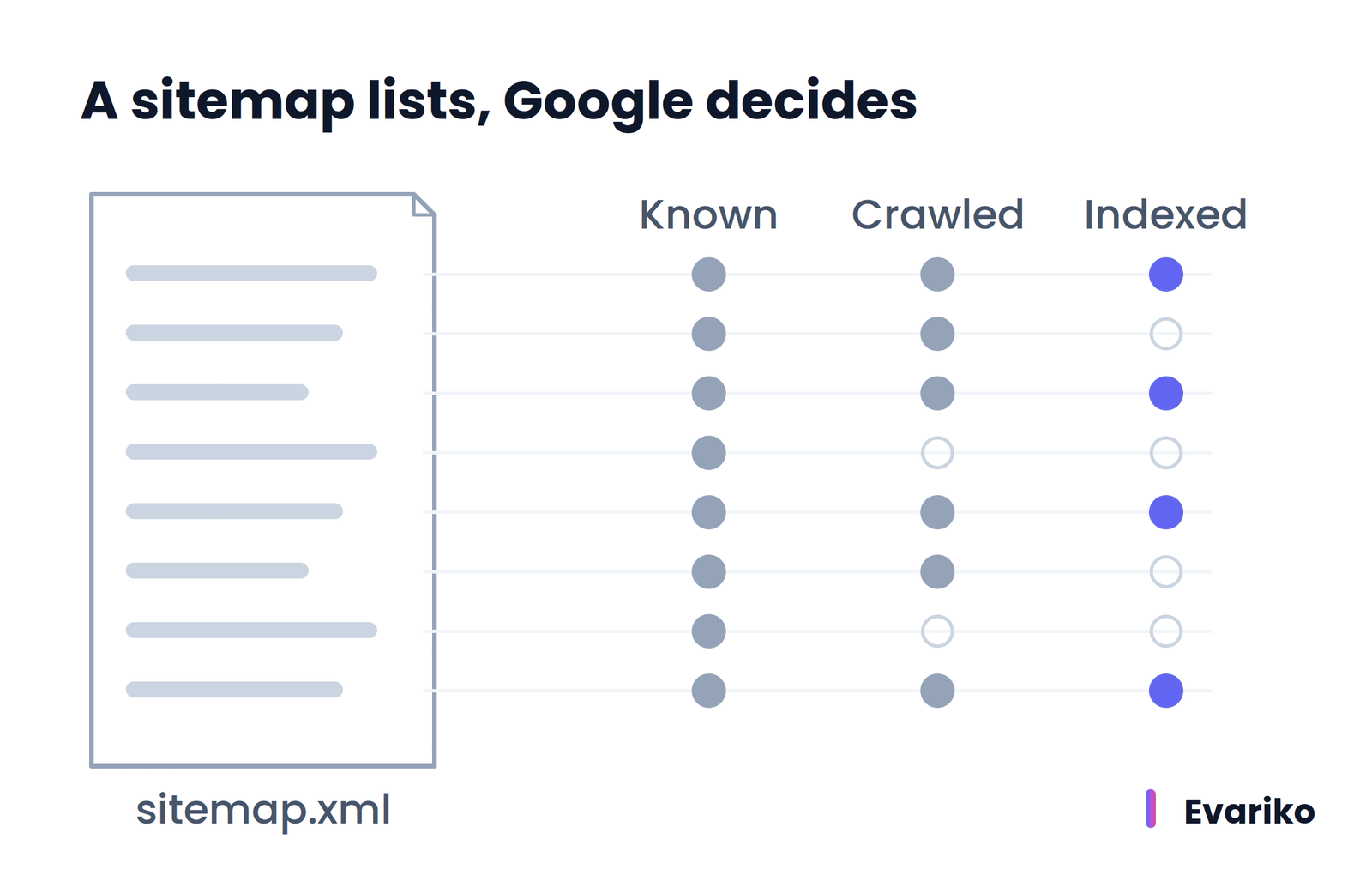
Hosted platforms such as WordPress and Blogger often submit new content to search engines automatically, which Google notes in its recrawl documentation.
The format, size limits and submission steps for XML sitemaps sit in a separate guide.
What Is Crawling in SEO?
Crawling in SEO is the process where a search engine’s crawler requests a URL and downloads what the server returns, so the search engine can read the page. Google’s crawler is called Googlebot. Google runs crawling on a very large set of computers and fetches billions of pages.
Googlebot decides by algorithm which sites to crawl, how often, and how many pages to fetch from each site. Googlebot also slows down when a server shows strain. Google states that HTTP 500 errors signal Googlebot to slow down, which protects the site from overload. The speed Googlebot settles on is the site’s crawl rate.
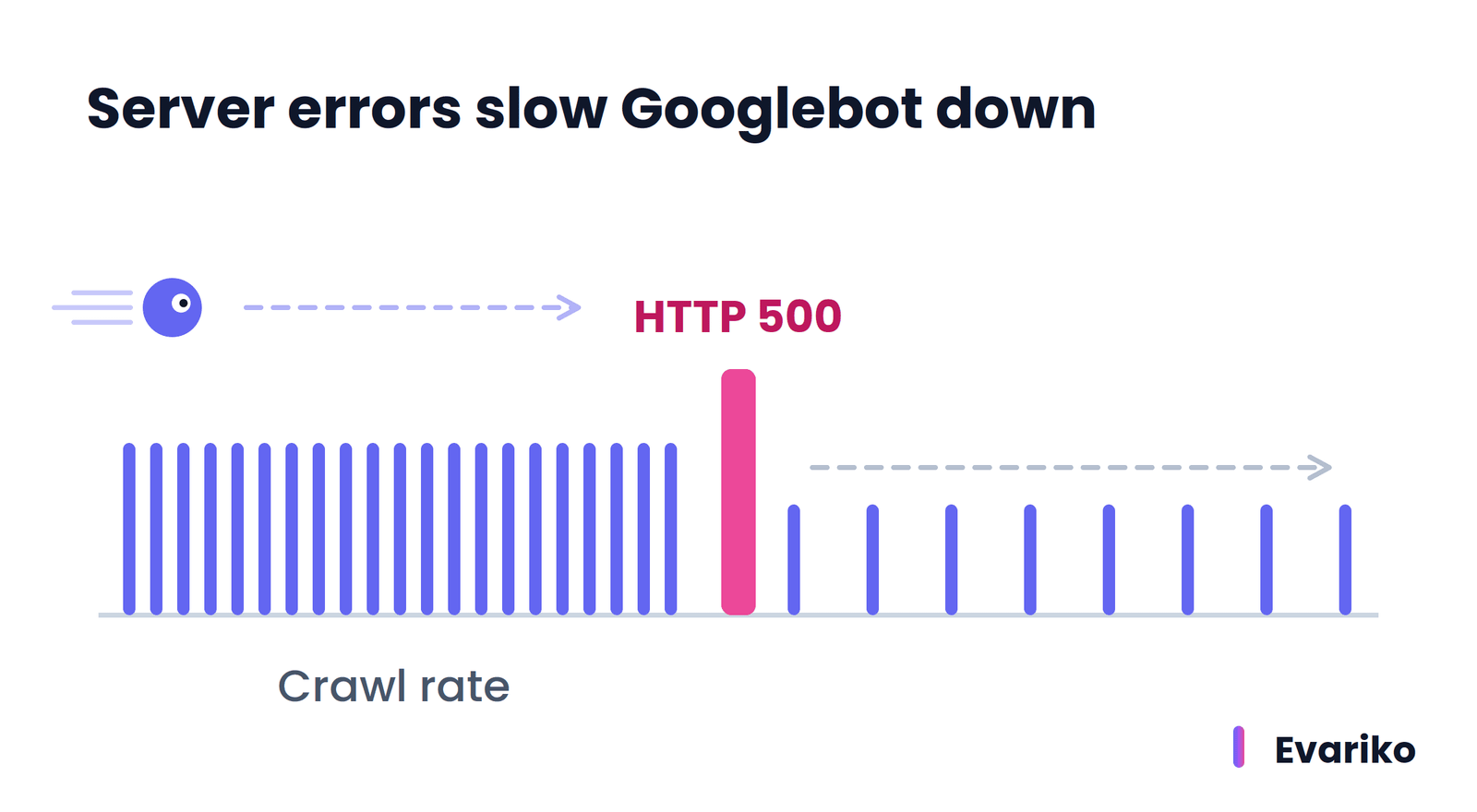
Googlebot does not crawl every URL it discovers. A URL is skipped when the site owner disallows it in robots.txt, and a URL is unreachable when the page requires a login. Google lists three common crawling failures: problems with the server, network issues, and robots.txt rules that prevent access.
From the site owner’s side, crawling leaves evidence in two places. Every Googlebot request appears in the server’s access logs. The Crawl Stats report in Google Search Console summarizes Googlebot’s crawling history for the site, including response codes and host problems.
What Is Googlebot?
Googlebot is the program Google uses to fetch pages for Google Search. Google’s documentation lists four other names for the same thing: crawler, robot, bot and spider. Before Googlebot requests any URL, Googlebot reads the site’s robots.txt file. If robots.txt disallows the URL, Googlebot skips the request entirely.
A request that names Googlebot is not always from Google. Google publishes a method for verifying that a crawler request genuinely comes from Google, which matters when reading server logs.
What Does robots.txt Control?
robots.txt controls crawling, not indexing. robots.txt is a plain text file at the root of a site that tells crawlers which URLs they are allowed to request. Google states that robots.txt exists mainly to stop crawlers from overloading a site, and that robots.txt is not a mechanism for keeping a page out of Google.
The difference has a practical consequence. Google states that a URL disallowed in robots.txt is still eligible for indexing when other pages link to it. The result appears in Google without a description, because Googlebot never read the page. To keep a page out of Google search results, Google recommends a noindex rule or password protection instead.
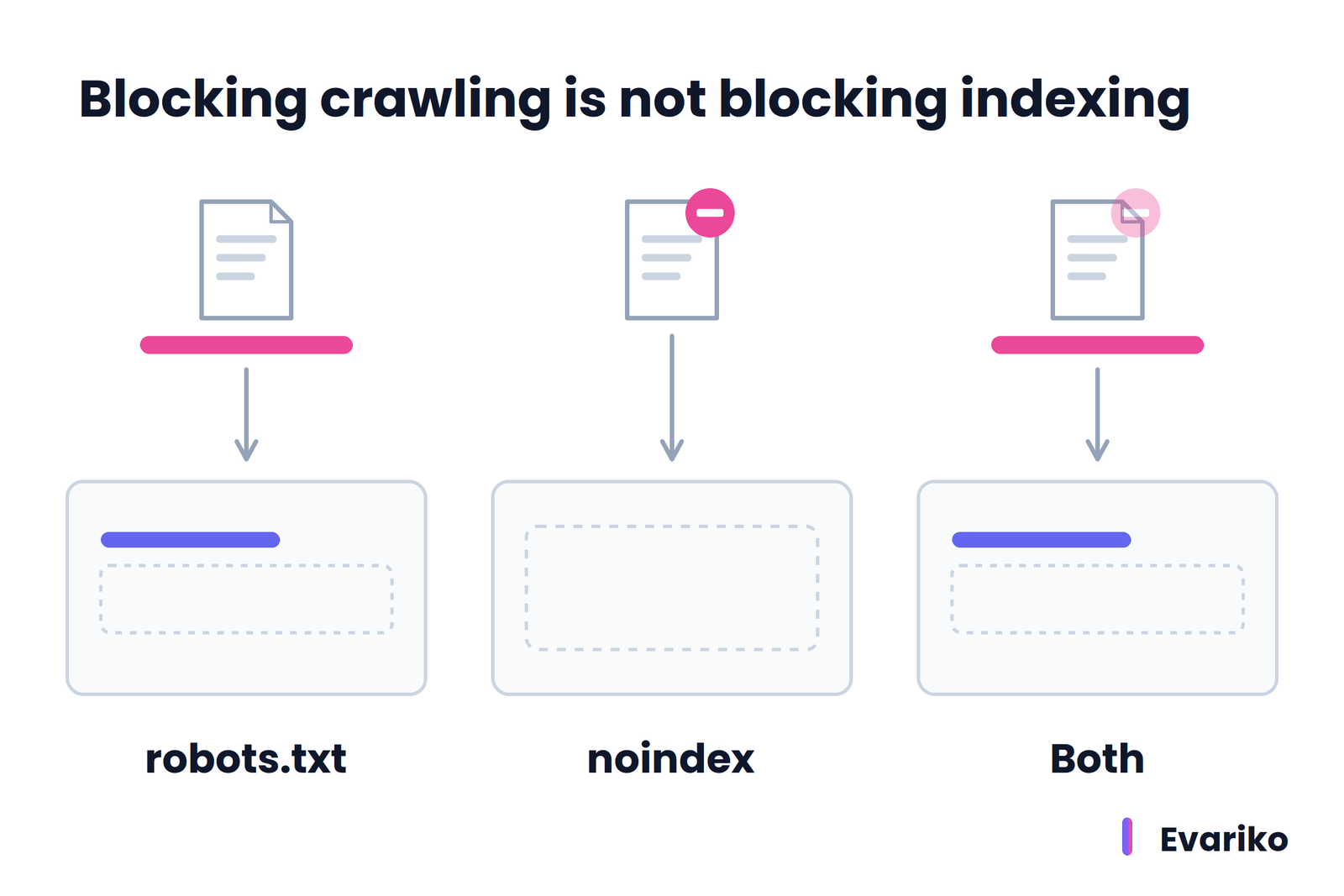
Combining the two rules backfires. A noindex rule lives inside the page. A page blocked in robots.txt is never requested, so Googlebot never sees the noindex rule on it. Google also does not render JavaScript from blocked files or blocked pages, so blocking the scripts a page needs prevents Google from seeing the content those scripts build.
The syntax for writing robots.txt rules that block crawl waste without hiding pages you want found has its own guide.
What Is Crawl Budget, and Does It Apply to Your Site?
Crawl budget is the set of URLs that Google can crawl and wants to crawl on a site. Google determines crawl budget from two elements. The crawl capacity limit is the maximum number of simultaneous connections Googlebot uses on a site, plus the delay between fetches, and it depends on how well the server responds. Crawl demand is how much Google wants to crawl the site’s URLs, based on their popularity and how often they change.
Crawl budget does not apply to most websites. Google’s guide “Optimize your crawl budget” is written for three types of site:
- Large sites with more than 1 million unique pages whose content changes about once a week
- Medium or larger sites with more than 10,000 unique pages whose content changes daily
- Sites where a large share of URLs sit in Search Console under “Discovered – currently not indexed”
Google states that a site whose pages get crawled on the day they are published does not need the guide at all. For a typical business site with a few hundred pages, crawl budget is not the bottleneck. Discovery paths and page quality are.
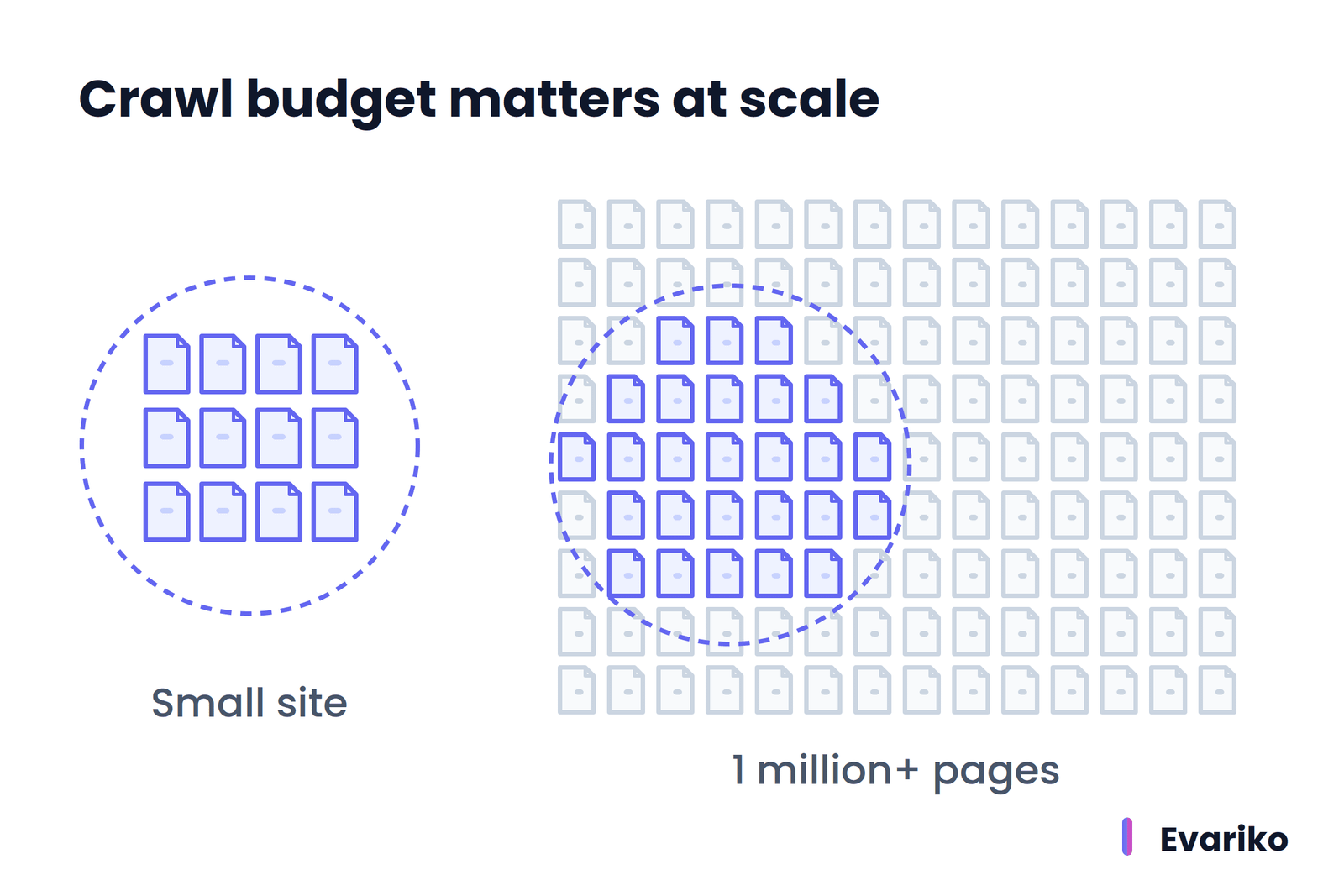
When a site does fall into one of those three groups, managing crawl budget becomes its own discipline: removing duplicate URLs from the crawl path, fixing slow server responses and keeping the sitemap clean.
What Is Rendering, and Why Does JavaScript Change What Google Sees?
Rendering is the step where Google runs a page’s code, including JavaScript, to build the version of the page a visitor sees in a browser. Google renders pages with a headless version of Chromium (the engine behind the Chrome browser), kept up to date with current Chrome releases.
Rendering matters because the raw HTML a server sends is not always the page. A server-side rendered page sends complete content in its first response, so Googlebot reads the content immediately. A JavaScript application built on the app shell model sends a nearly empty HTML file and builds the content in the browser. For that second type of page, Google sees no content until rendering finishes.
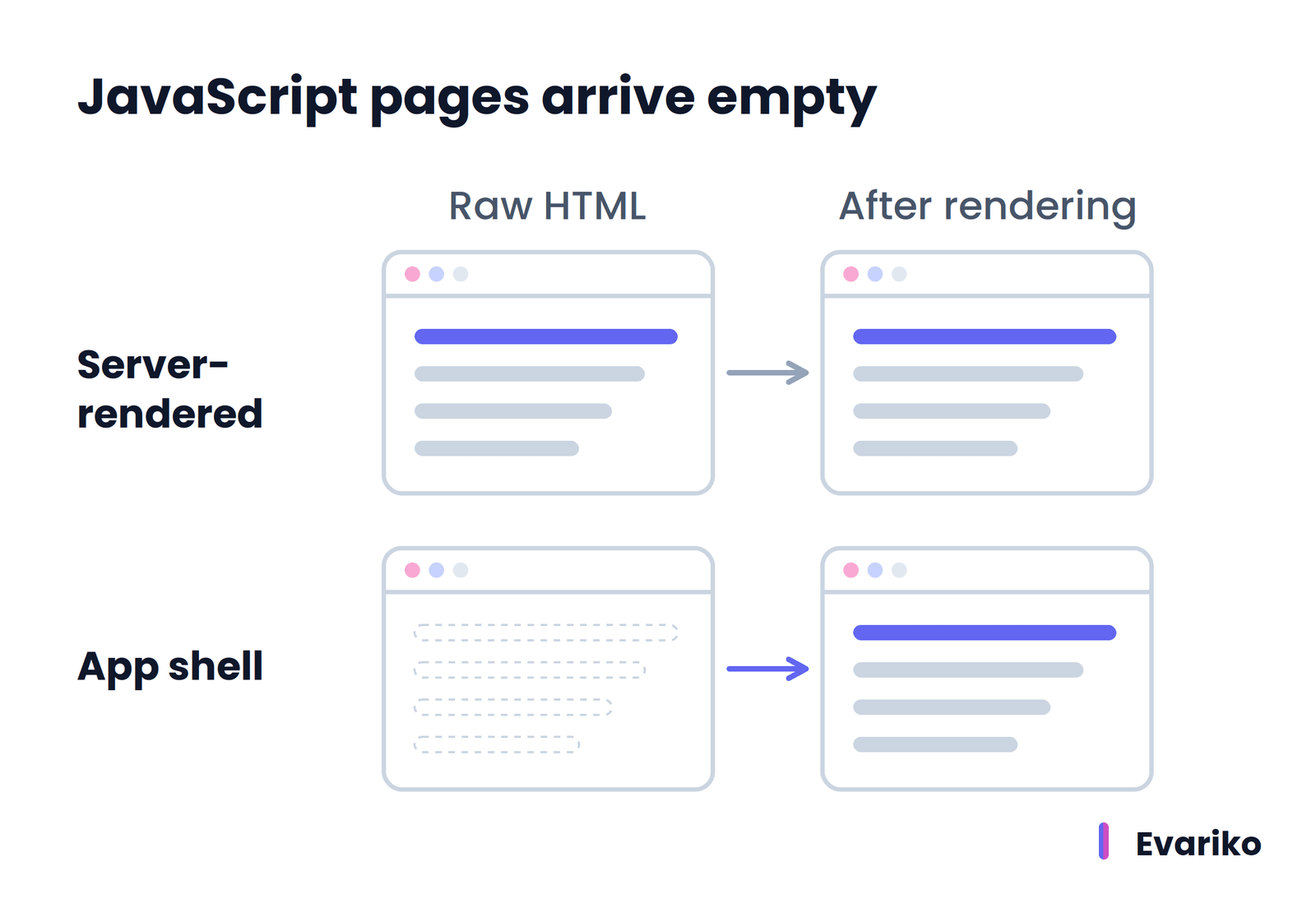
What Is the Rendering Queue?
The rendering queue is the waiting line Google places pages in before rendering them. Google states that Googlebot queues every page that returns a 200 HTTP status code for rendering, whether the page uses JavaScript or not, unless a robots meta tag tells Google not to index the page.
A page stays in the rendering queue for a few seconds or longer, depending on Google’s available resources. Google states that it is not obvious from the outside whether a page is waiting for crawling or waiting for rendering. After rendering, Google reads the rendered HTML, extracts any new links for crawling, and uses the rendered HTML for indexing.
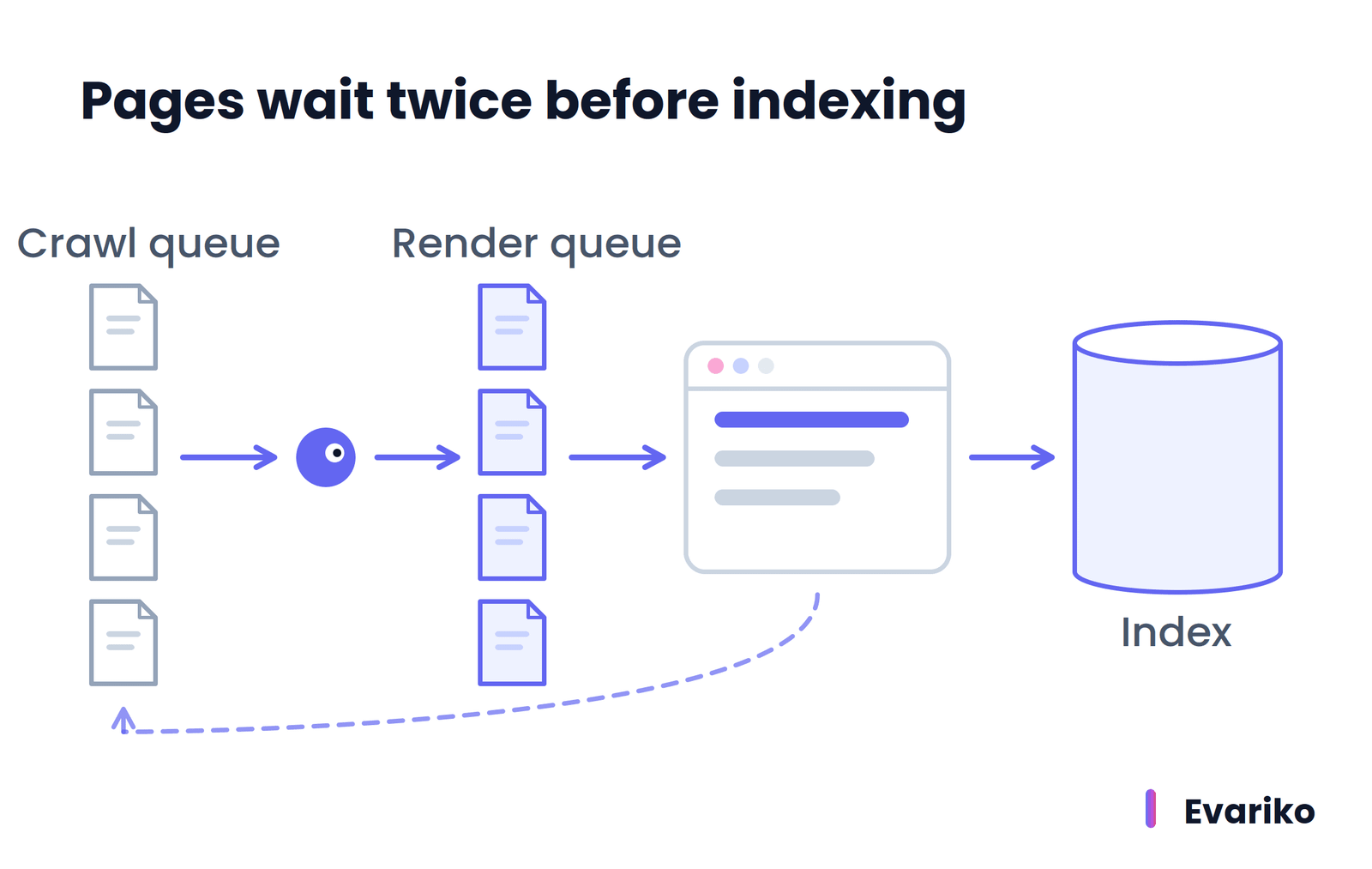
Two consequences follow for site owners. First, content and links that exist in the raw HTML are available to Google before rendering, and content that depends on JavaScript is available only after rendering. Second, Google states that when the original HTML carries a noindex rule, Google skips rendering, so JavaScript that removes the noindex rule later never runs. Google still recommends server-side rendering or pre-rendering, because it makes pages faster and because not every crawler runs JavaScript.
How Do You Tell Whether Google Sees Your JavaScript Content?
The URL Inspection tool in Google Search Console shows whether Google sees JavaScript content. Run a live test on the URL and open the rendered HTML. Google states that content missing from the rendered HTML cannot be indexed.
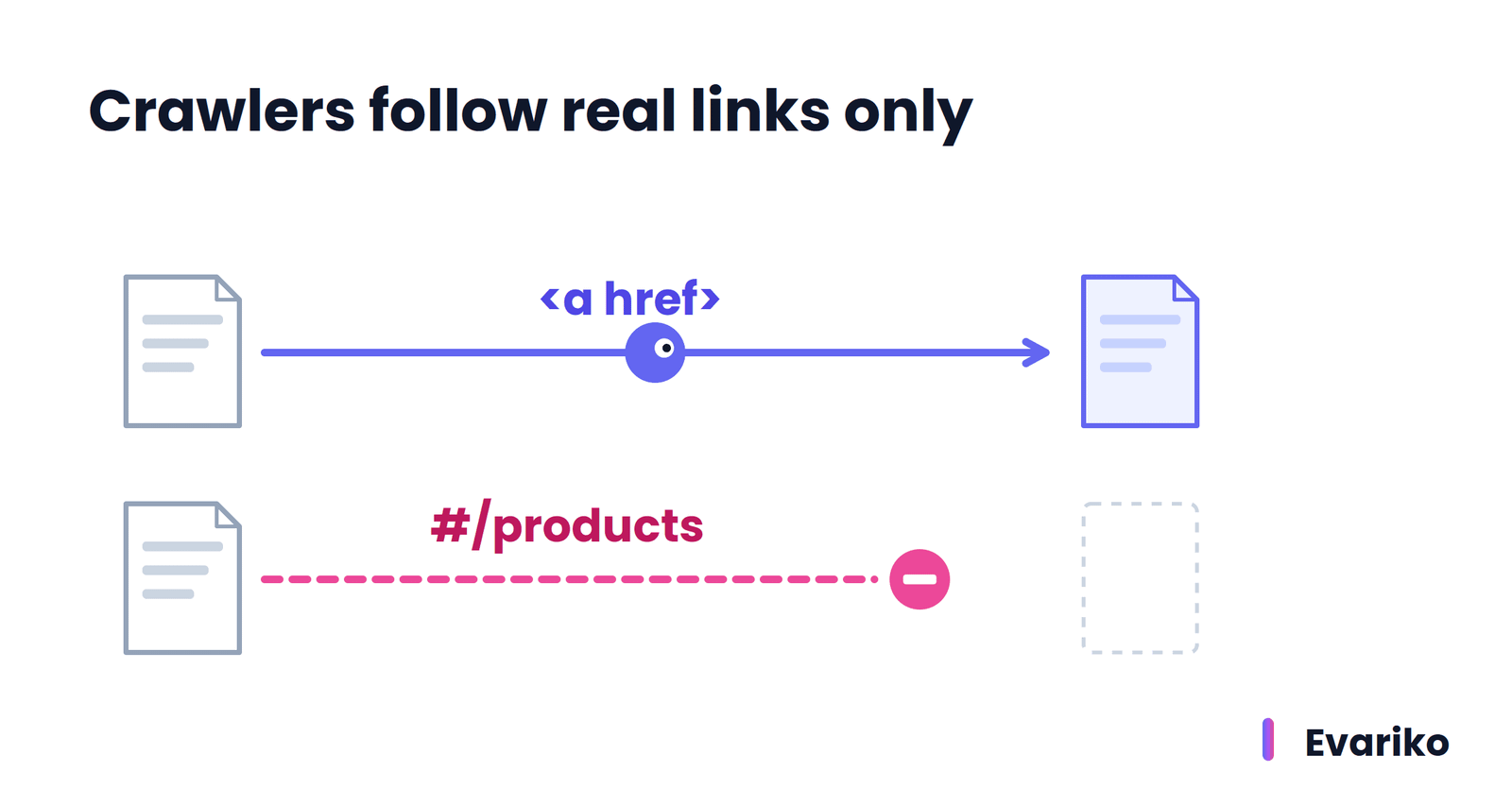
Three checks catch most rendering failures. Search the rendered HTML for a sentence from the main content. Check that menu and content links are standard <a> elements with an href attribute, because Google states that Google only discovers links in that form and does not reliably resolve fragment URLs such as #/products. Check that robots.txt does not block the JavaScript and CSS files the page needs.
Sites built on JavaScript frameworks need a dedicated approach to JavaScript SEO and rendering, from server-side rendering to lazy-loaded content.
How Does Google Index a Website?
Google indexes a website one page at a time. After Google crawls and renders a page, Google analyzes the page’s text, its <title> element, alt attributes, images and videos, decides whether the page duplicates another page, and stores the chosen version in the Google index.
Search engine indexing also collects signals that Google uses later in serving. Google names three examples: the language of the page, the country the content is local to, and the usability of the page.
Indexing is not guaranteed. Google states that not every page it processes gets indexed, and Google lists three common causes: low content quality, robots meta rules that disallow indexing, and site designs that make indexing difficult.
What Is the Difference Between Crawling and Indexing?
Crawling is fetching a page; indexing is understanding the page and deciding whether to store it. Crawling answers the question “Can Google get this page?” Indexing answers the question “Will Google keep this page?”
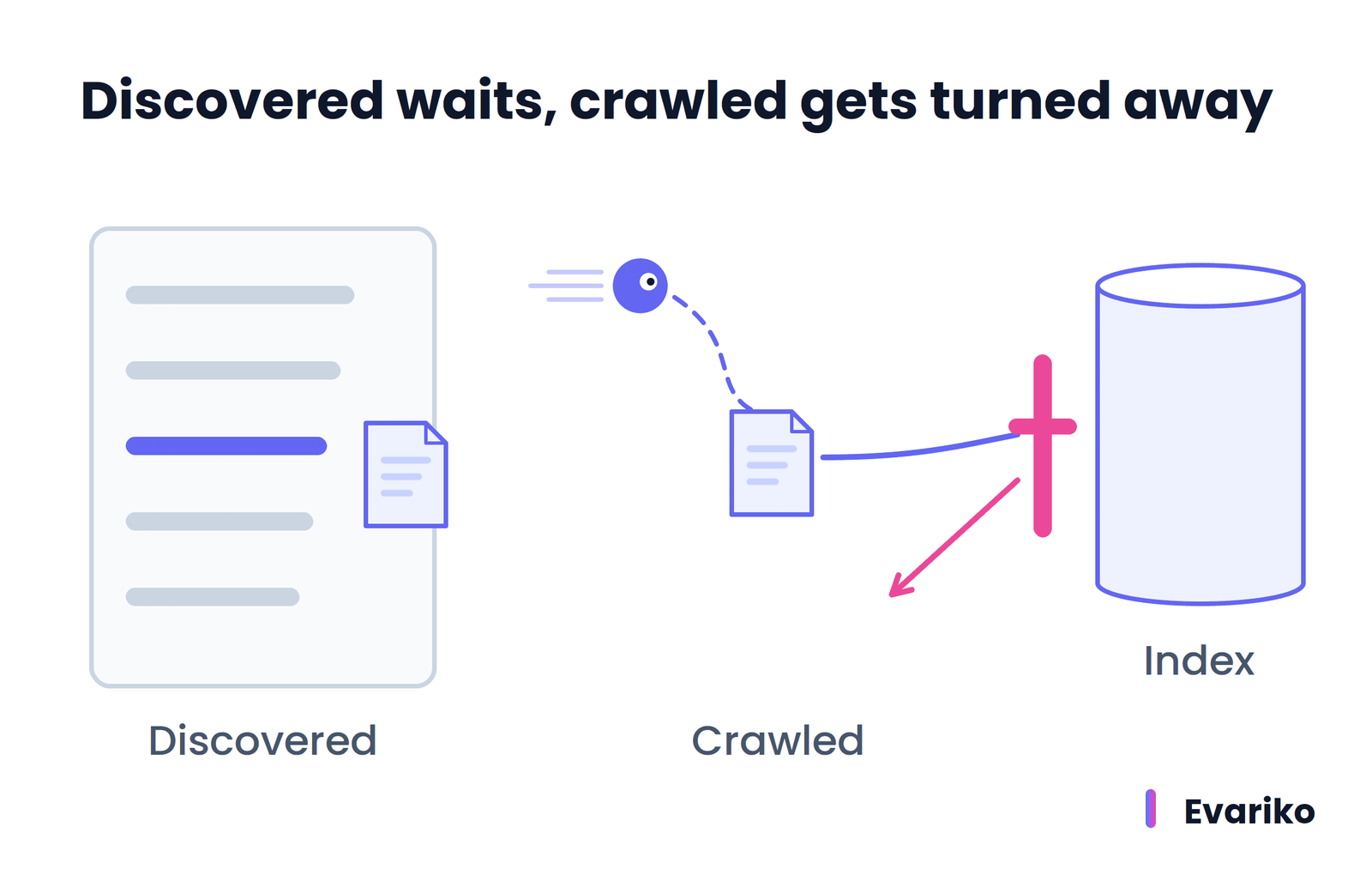
A page passes crawling and still fails indexing. Search Console separates the two outcomes. A URL marked “Discovered – currently not indexed” has not been crawled yet. A URL marked “Crawled – currently not indexed” was crawled and then not stored. The first status is a crawling problem. The second status is an indexing decision.
What Is a Search Index?
A search index is a database that maps words and other signals to the pages that contain them, so a search engine looks up matching pages instead of reading the web at the moment someone searches. Google describes its index as a large database hosted on thousands of computers.
Search engines generally build this structure as an inverted index. The structure works like the index at the back of a book: each term points to the documents where it appears.
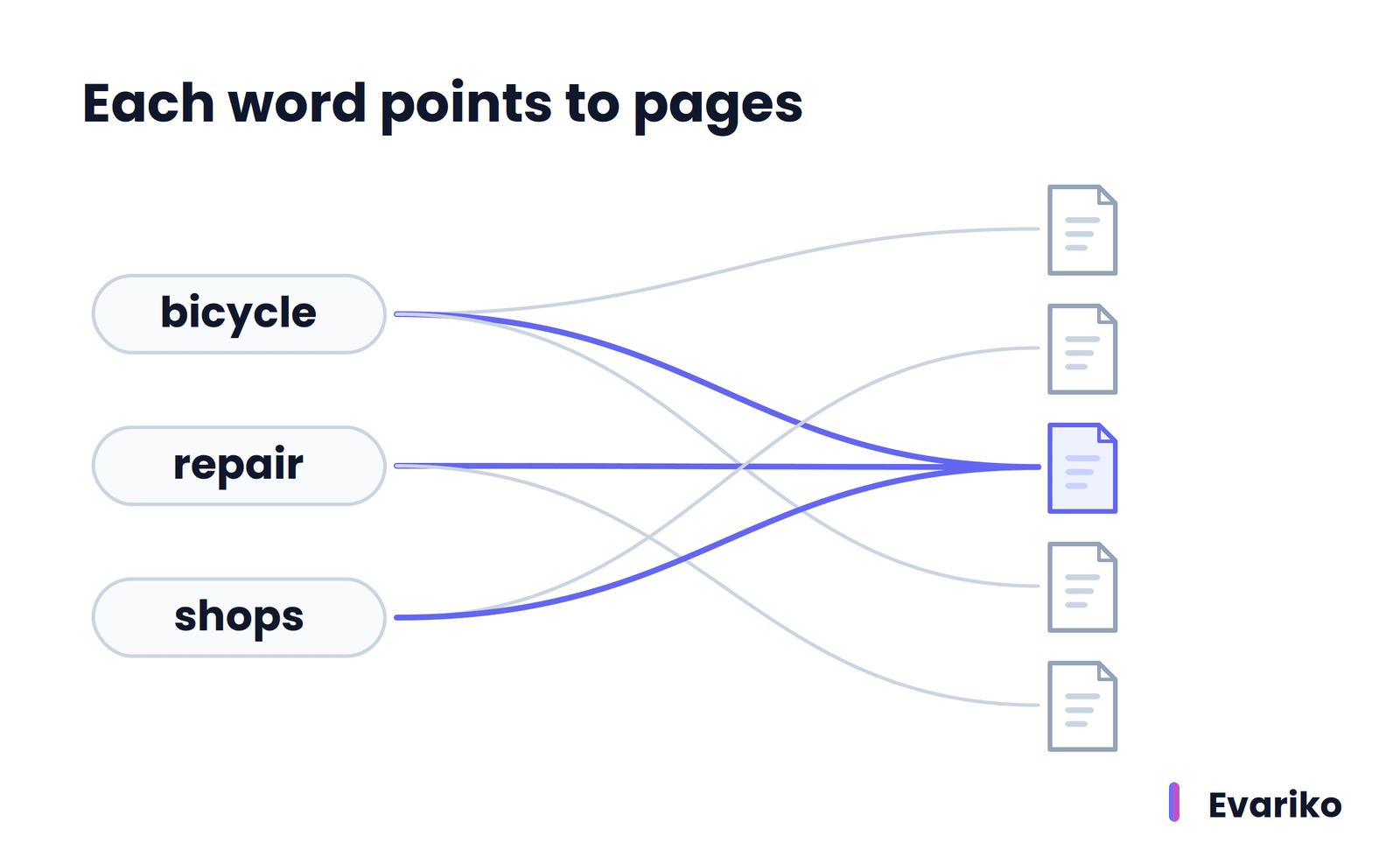
Google does not publish the internal design of its own index, but the inverted index explains why a search engine returns results in a fraction of a second. The expensive work (crawling, rendering, analyzing) happens before anyone searches.
How Does Google Choose a Canonical URL?
Google chooses a canonical URL by grouping pages with the same or very similar main content into a cluster, then selecting the page it judges most complete and useful for searchers. Google calls this process canonicalization. The canonical URL is the version Google shows in search results by default. The other URLs in the cluster become alternates.
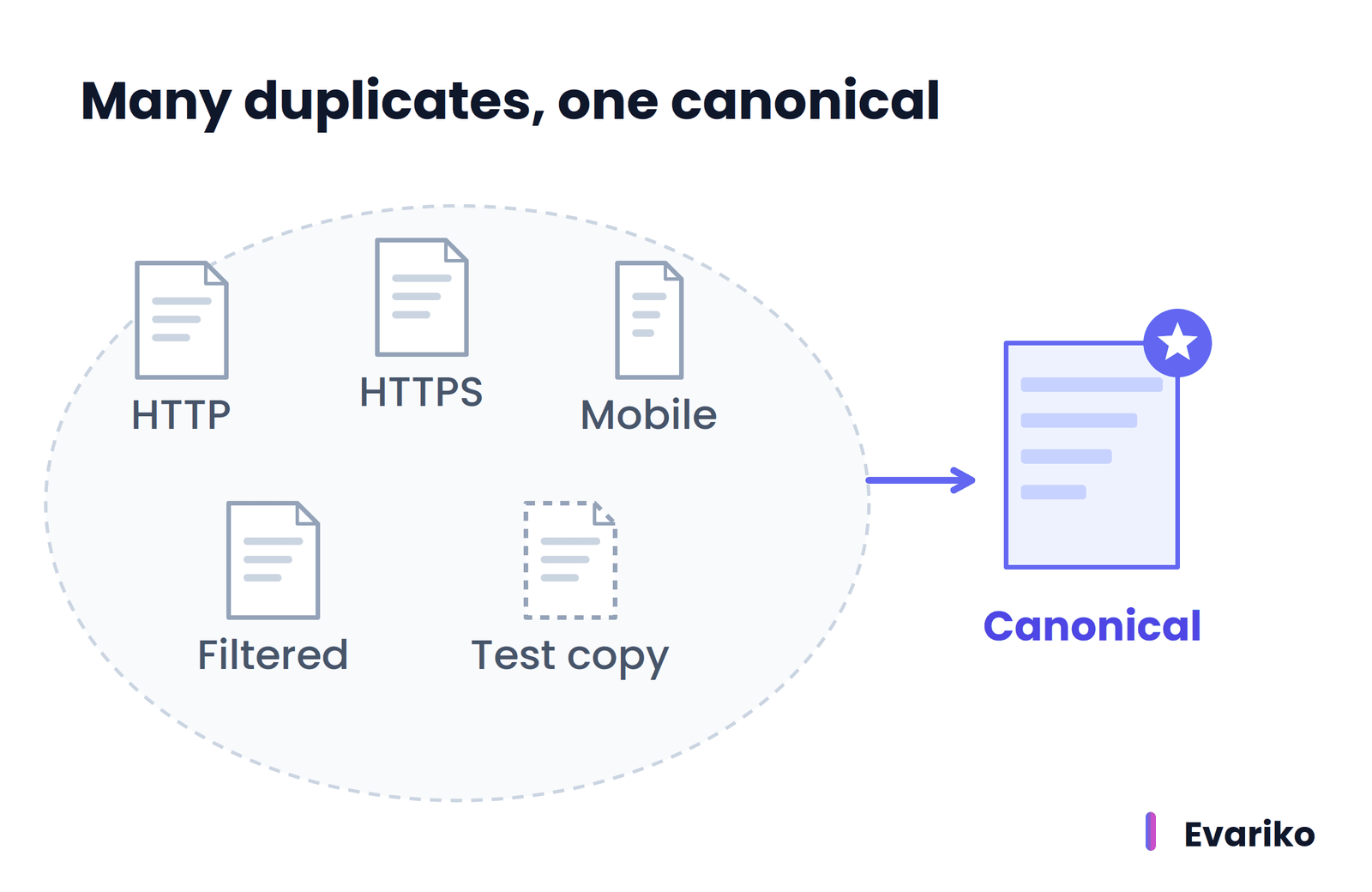
Duplicate URLs are normal. Google lists five common sources: region variants of the same content, mobile and desktop versions, HTTP and HTTPS versions, sorting and filtering functions on category pages, and test versions of a site left open to crawlers. Google states that ordinary duplicate content is not a spam violation.
Google weighs four main signals when choosing the canonical: whether the page uses HTTPS or HTTP, redirects, whether the URL appears in a sitemap, and rel="canonical" link tags. Google states that a canonical tag is a hint, not a rule, and that Google chooses a different canonical when other signals disagree. Google crawls the canonical page most regularly and crawls duplicates less often.
Canonicalization explains many pages that look lost. In the URL Inspection tool, Search Console shows two fields: the user-declared canonical (the URL the site owner specified) and the Google-selected canonical (the URL Google chose). When the two differ, the Page indexing report lists the URL as “Duplicate, Google chose different canonical than user.” That page is not broken. Google indexed a different URL to represent it.
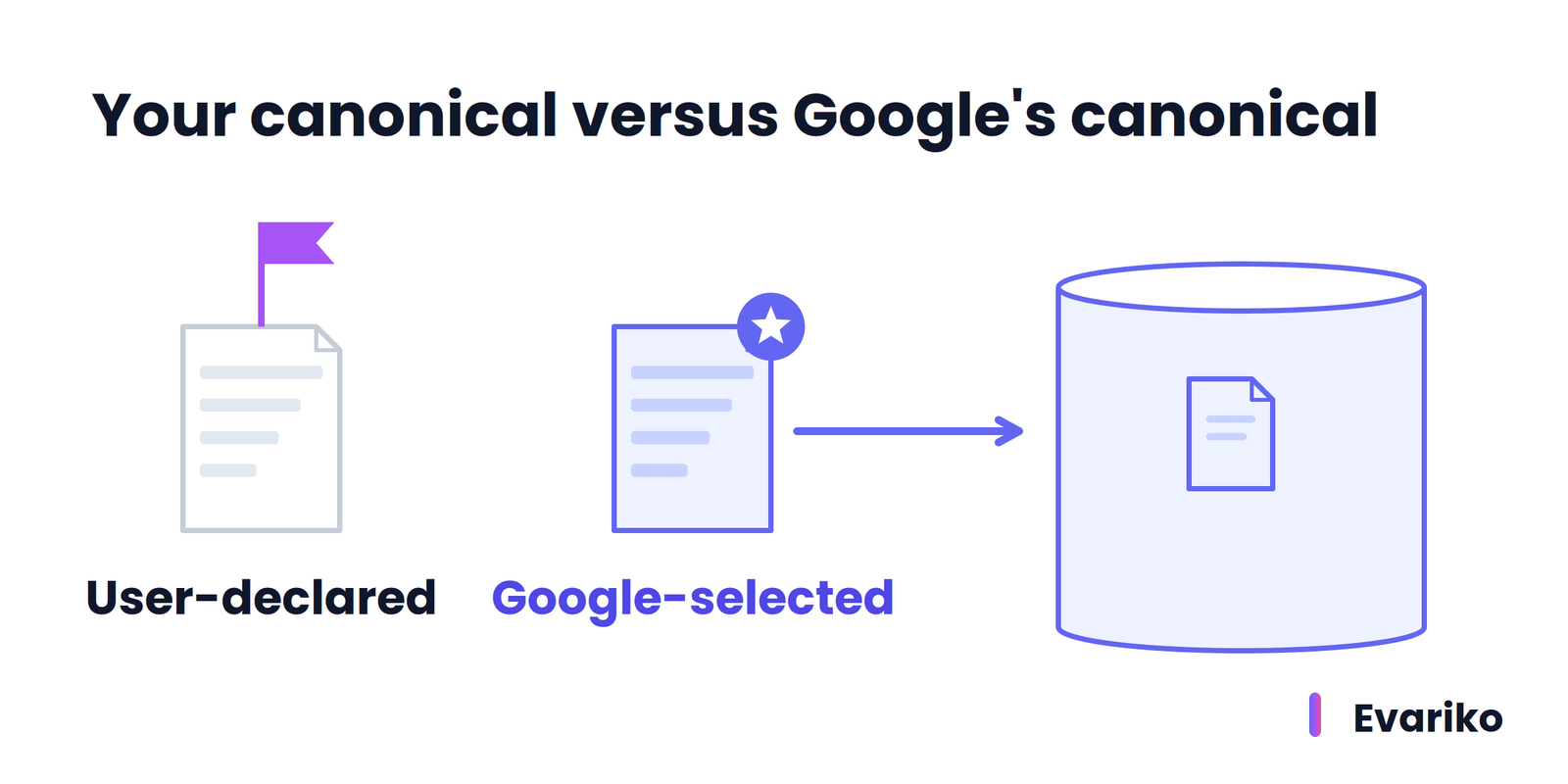
Aligning redirects, sitemap entries and internal links behind one preferred URL is the core of handling canonicalization and duplicate content.
How Does Google Decide Which Page Ranks First?
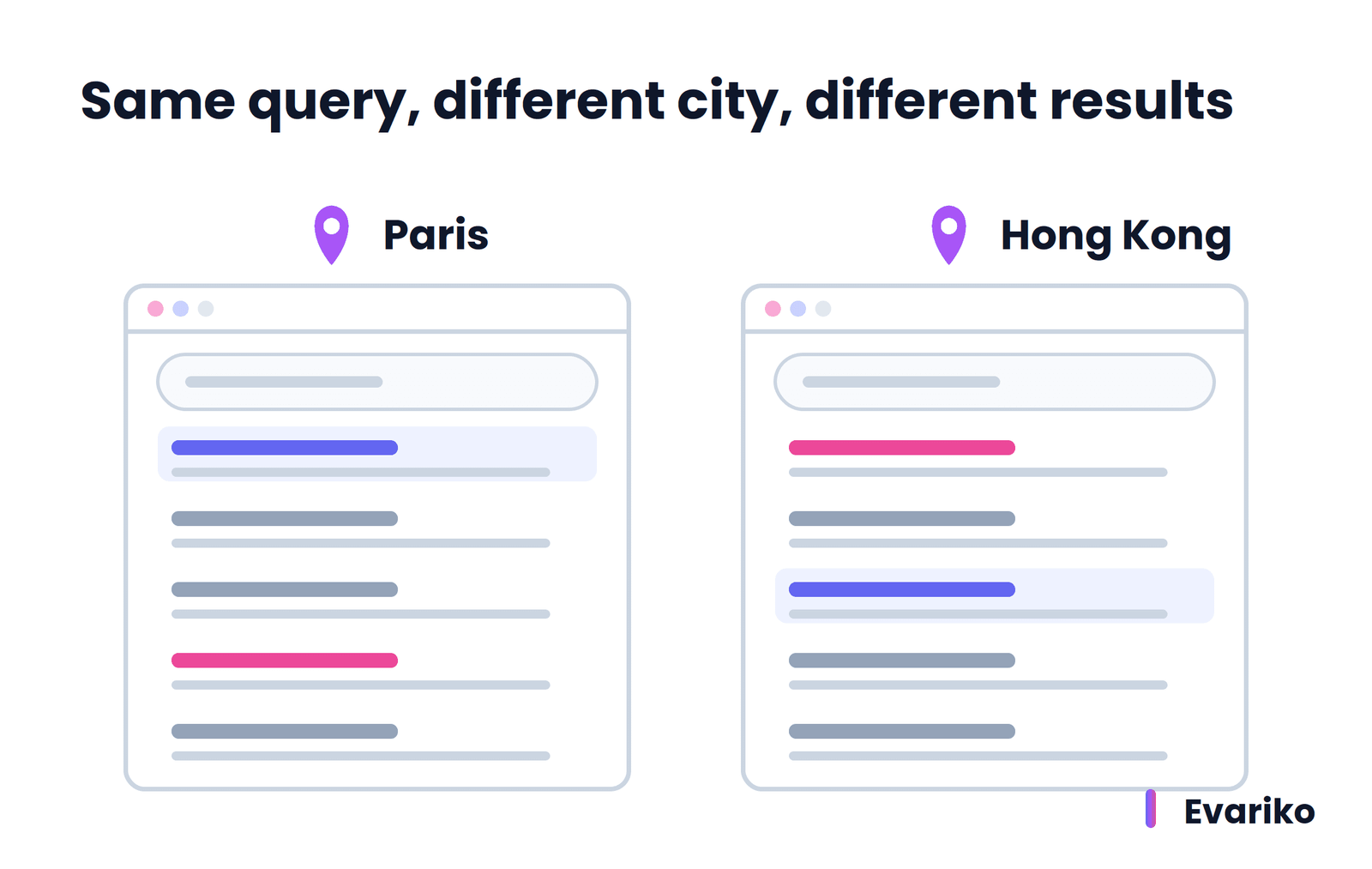
Google’s search algorithm decides which page ranks first by ordering the indexed pages that match a search query according to relevance and quality, then adjusting for the searcher’s context, such as location, language and device. Google states that relevance is determined by hundreds of factors, that ranking is done programmatically, and that Google does not accept payment to rank a page higher.
Google’s own example shows context at work. A search for “bicycle repair shops” returns different results to a user in Paris than to a user in Hong Kong. The query is identical. The location changes which pages are relevant.
What Is the Difference Between Indexing and Ranking?
Indexing decides whether a page is eligible to appear in Google; ranking decides where an eligible page appears for one specific query. Indexing happens once per version of a page. Ranking happens every time someone searches, separately for every query and every searcher.
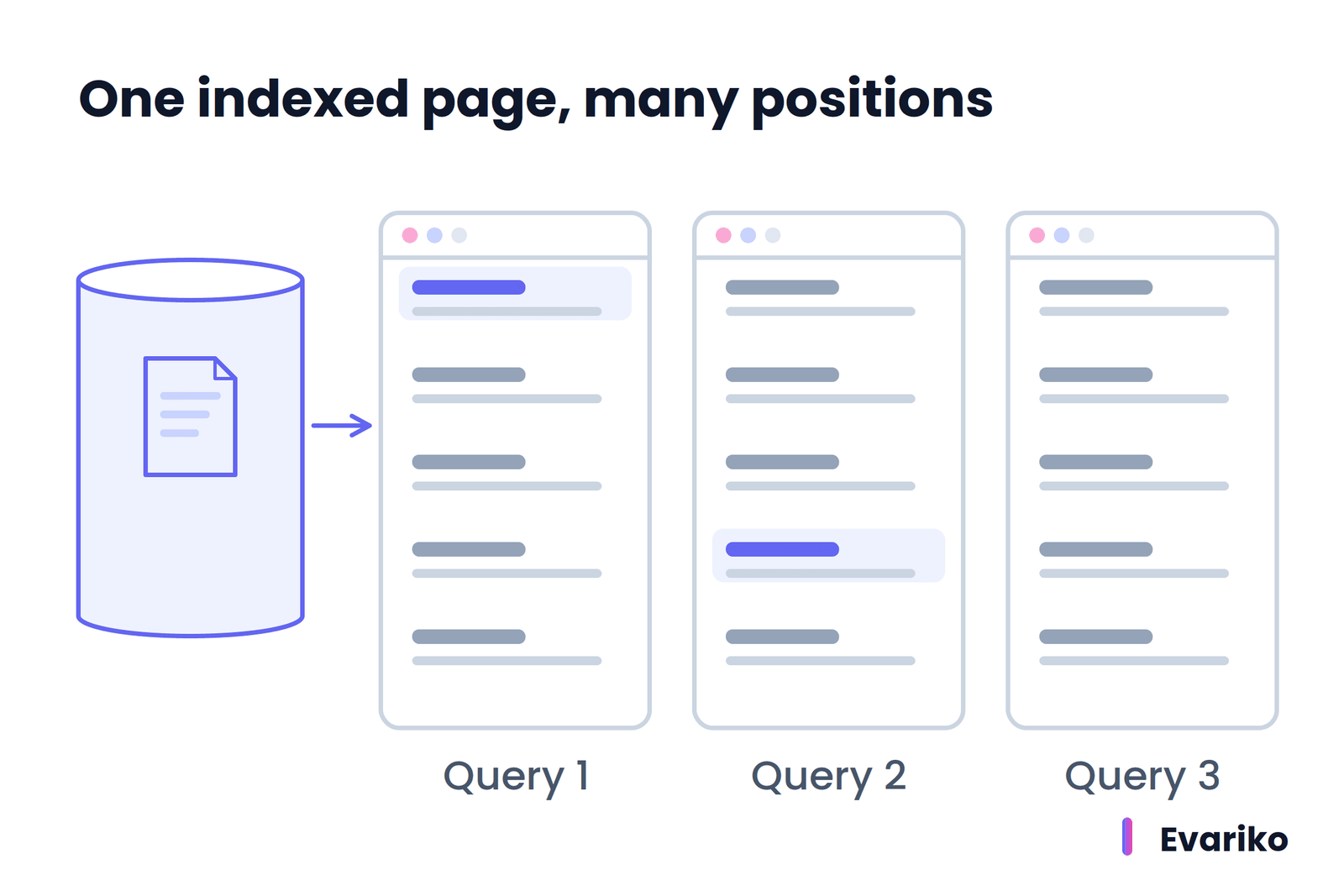
An indexed page with no visibility therefore has a ranking or serving problem, not an indexing problem. Google lists three reasons an indexed page does not appear: the content is not relevant to the queries people use, the content quality is low, or robots meta rules prevent serving.
How Does a Search Engine Match a Search Query to Search Intent?
A search engine matches a search query to search intent by working out what the searcher wants to do or find, then preferring the page types and result formats that serve that purpose. The search query is the words someone types or speaks. Search intent is the goal behind those words.
Google’s documentation gives a direct example. A search for “bicycle repair shops” shows local results and no image results, because the searcher wants a place to go. A search for “modern bicycle” shows image results and no local results, because the searcher wants to see designs.
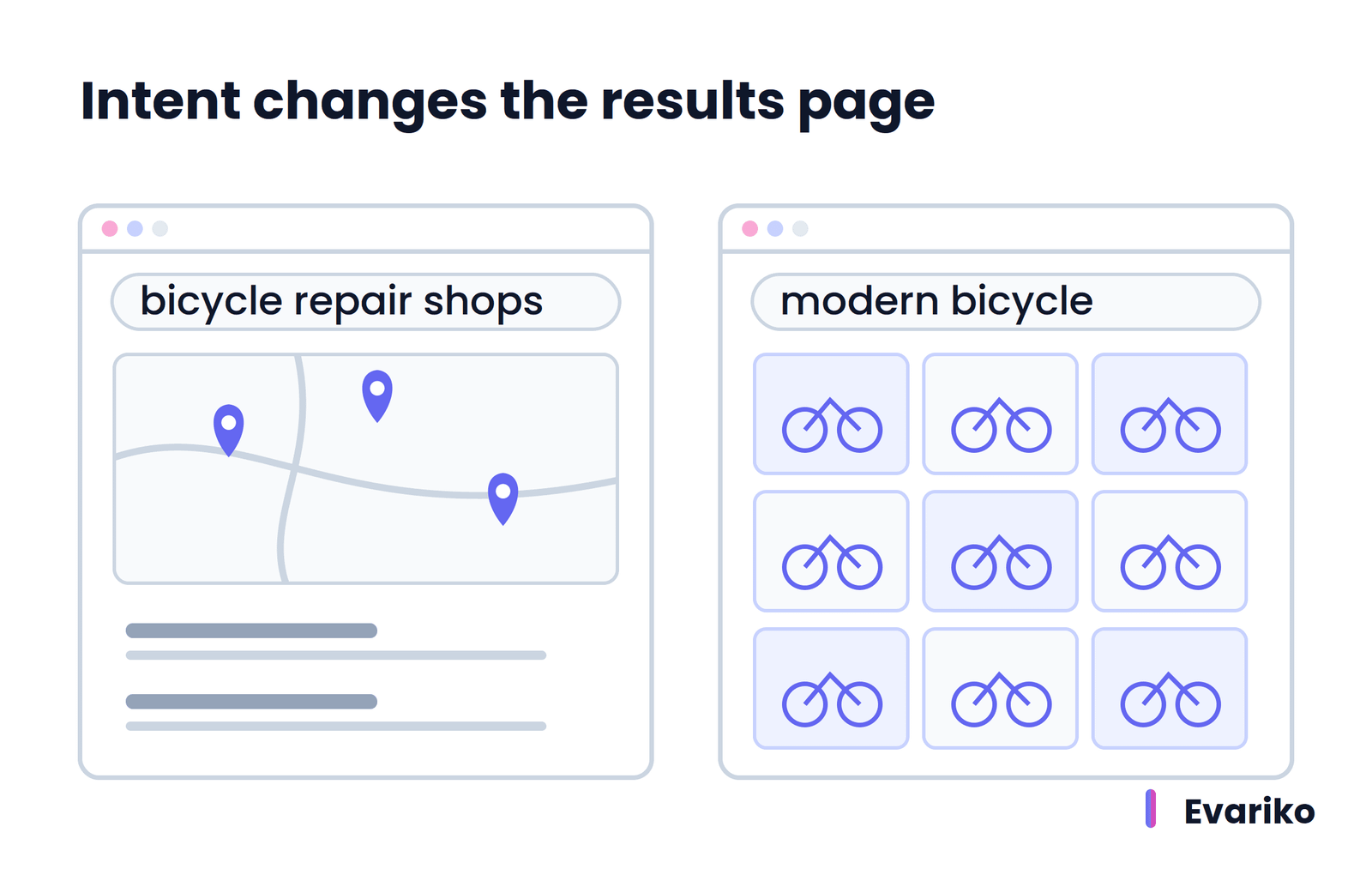
A page that answers a different intent from the query does not rank for that query, regardless of how well the page is written. Matching content to search intent is the first ranking question for any page.
Why Is There No Fixed List of Ranking Factors?
There is no fixed list of ranking factors because Google does not publish one. Google states that relevance depends on hundreds of factors, and Google gives only examples (location, language, device). Google publishes a guide to its named ranking systems, which describes what each system does, but the guide does not assign weights or numbers.
Numbered lists of “200 ranking factors” are third-party inference, built from correlation studies, patents and testing. Some items on those lists are confirmed by Google, many are not, and the weights are unknown to everyone outside Google. Google also changes its ranking systems regularly and lists confirmed core updates and spam updates on its Search Status Dashboard.
What Google does document is consistent: relevance to the query, content quality, page usability, and the searcher’s context. The full breakdown of confirmed signals versus inferred ones belongs in a dedicated guide to ranking factors.
What Appears on a Search Engine Results Page (SERP)?
A search engine results page (SERP) is the page Google returns for a search query. A SERP contains organic results, labeled ads, and search features such as local results, image results, featured snippets and AI Overviews.
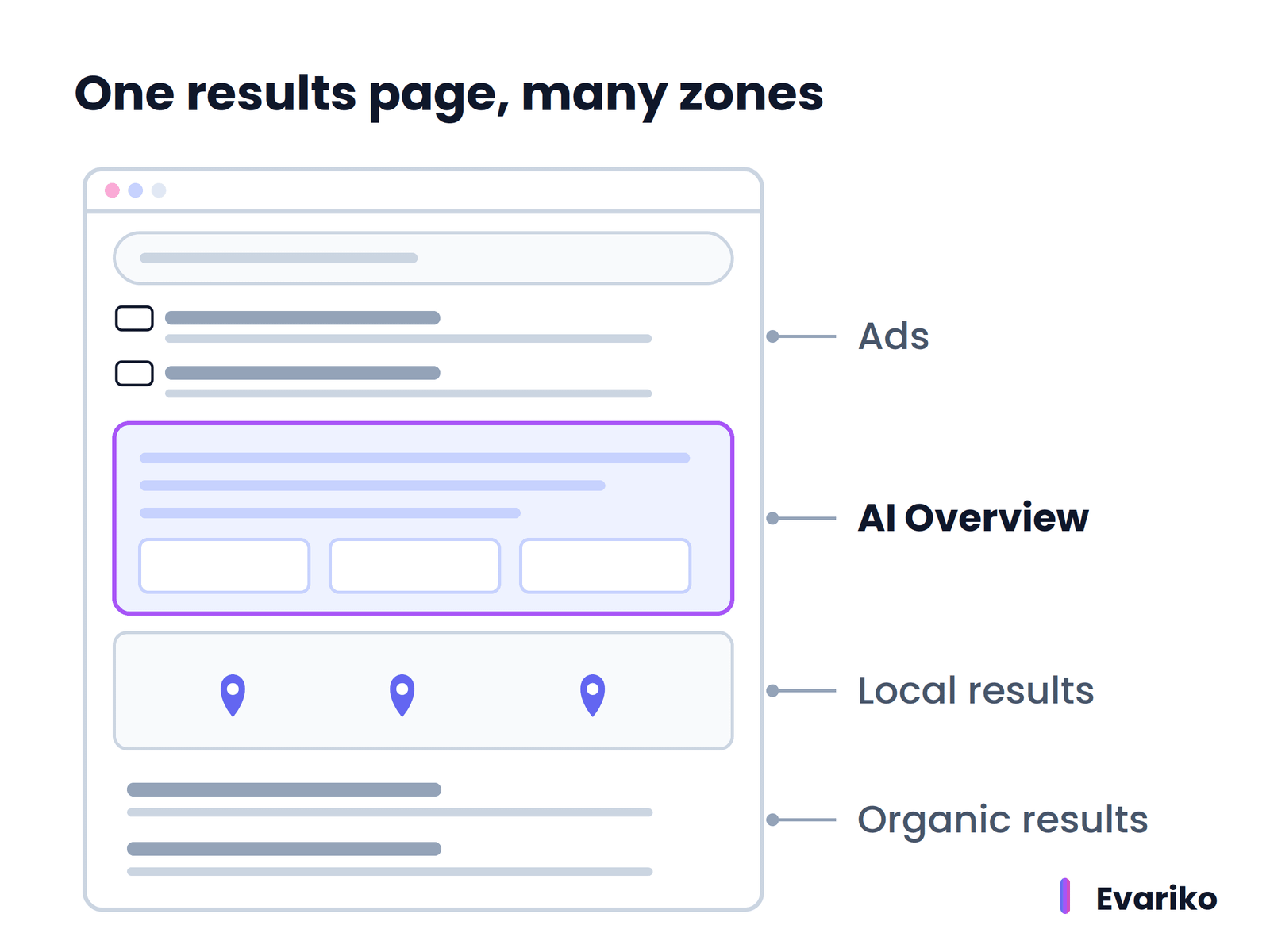
Google states that the search features change with the query, which is why two SERPs for related queries look completely different.
The SERP is the last step of serving. Google selects the title link and snippet for each result, and the site owner influences both through the page’s title element, meta description and structured data. Google documents each element in its Visual Elements gallery, and each element type is covered in the guide to SERP features.
Do AI Overviews Use the Same Search Index?
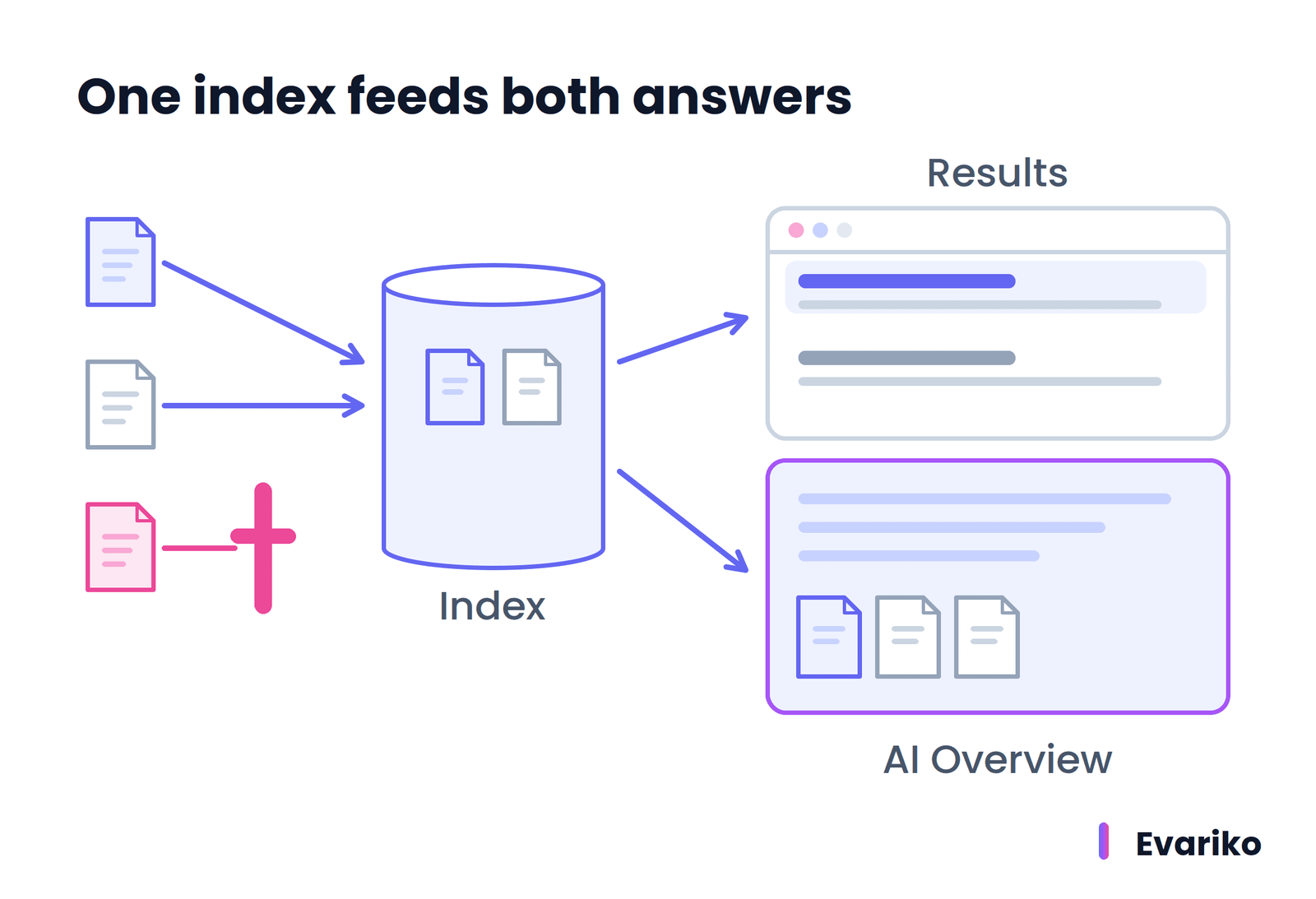
Yes. Google states that a page must be indexed and eligible to appear in Google Search with a snippet to be shown as a supporting link in AI Overviews or AI Mode, and that there are no additional technical requirements. Google’s AI features sit on top of the same crawling and indexing pipeline described above.
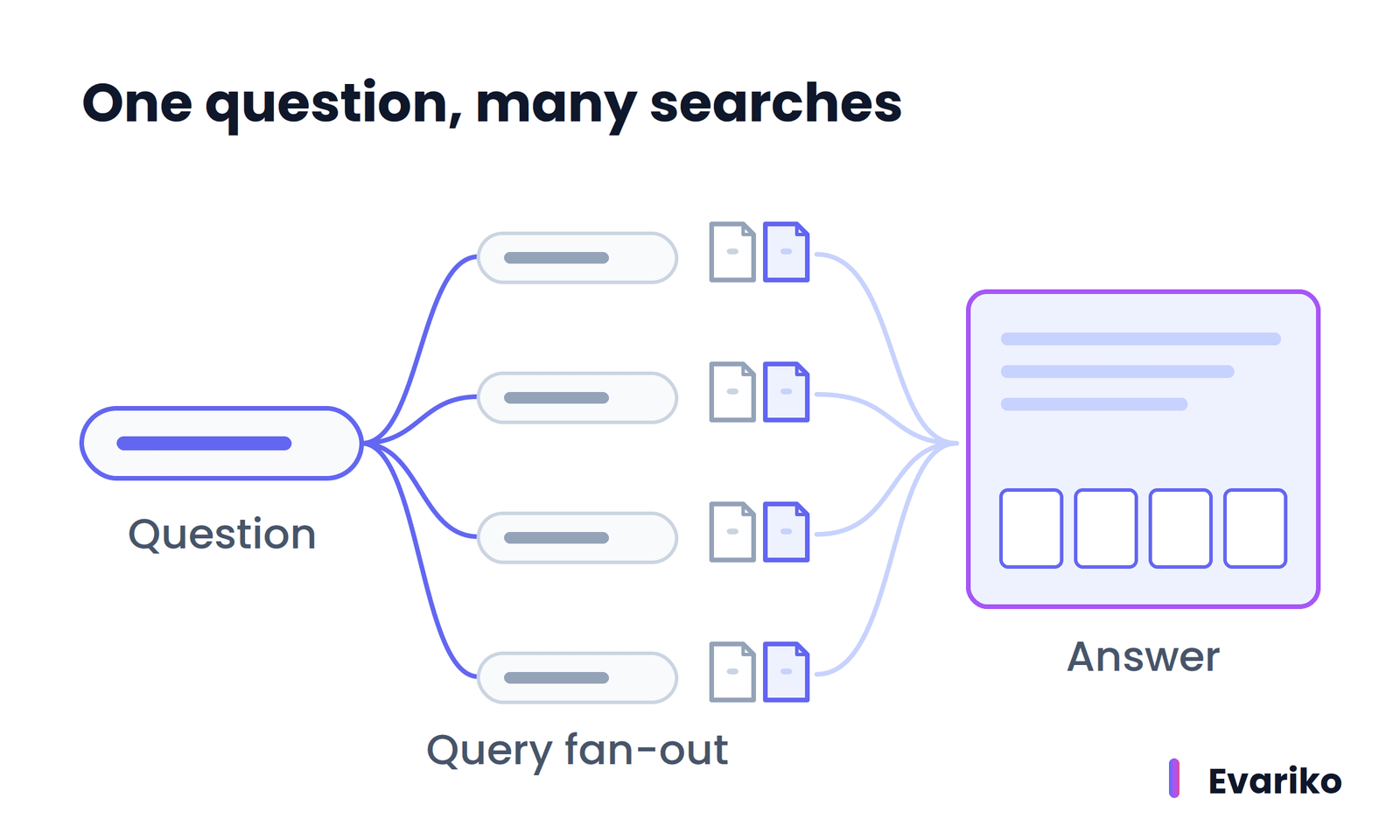
Google’s “AI features and your website” guide (Google Search Central, last updated 10 December 2025) adds three facts. First, AI Overviews and AI Mode use a “query fan-out” technique, running several related searches across subtopics to build one response. Second, AI Overviews only appear when Google’s systems judge them additive to classic results, so many queries never show one. Third, traffic from AI Overviews and AI Mode is included in the Search Console Performance report under the Web search type.
The controls are the same as for classic search. Google states that robots.txt rules for Googlebot control crawling for Search, including AI features, and that nosnippet, data-nosnippet, max-snippet and noindex limit what Google shows. A separate control, Google-Extended, limits use of content for training and grounding in some of Google’s other AI systems; Google-Extended does not remove a page from Search.
The practical conclusion is simple. A page that fails discovery, crawling, rendering or indexing is invisible to AI Overviews as well as to classic results.
Assistants outside Google run their own retrieval systems, and each provider documents its own crawler rules. Earning citations in AI Overviews starts with the same pipeline.
How Do You Find Which Stage Your Page Is Stuck At?
Find the stage by working backward from the symptom: check serving first, then indexing, rendering, crawling and discovery, and stop at the first stage that fails. Every stage leaves a different trace in Google Search Console, so the evidence tells you where to look.
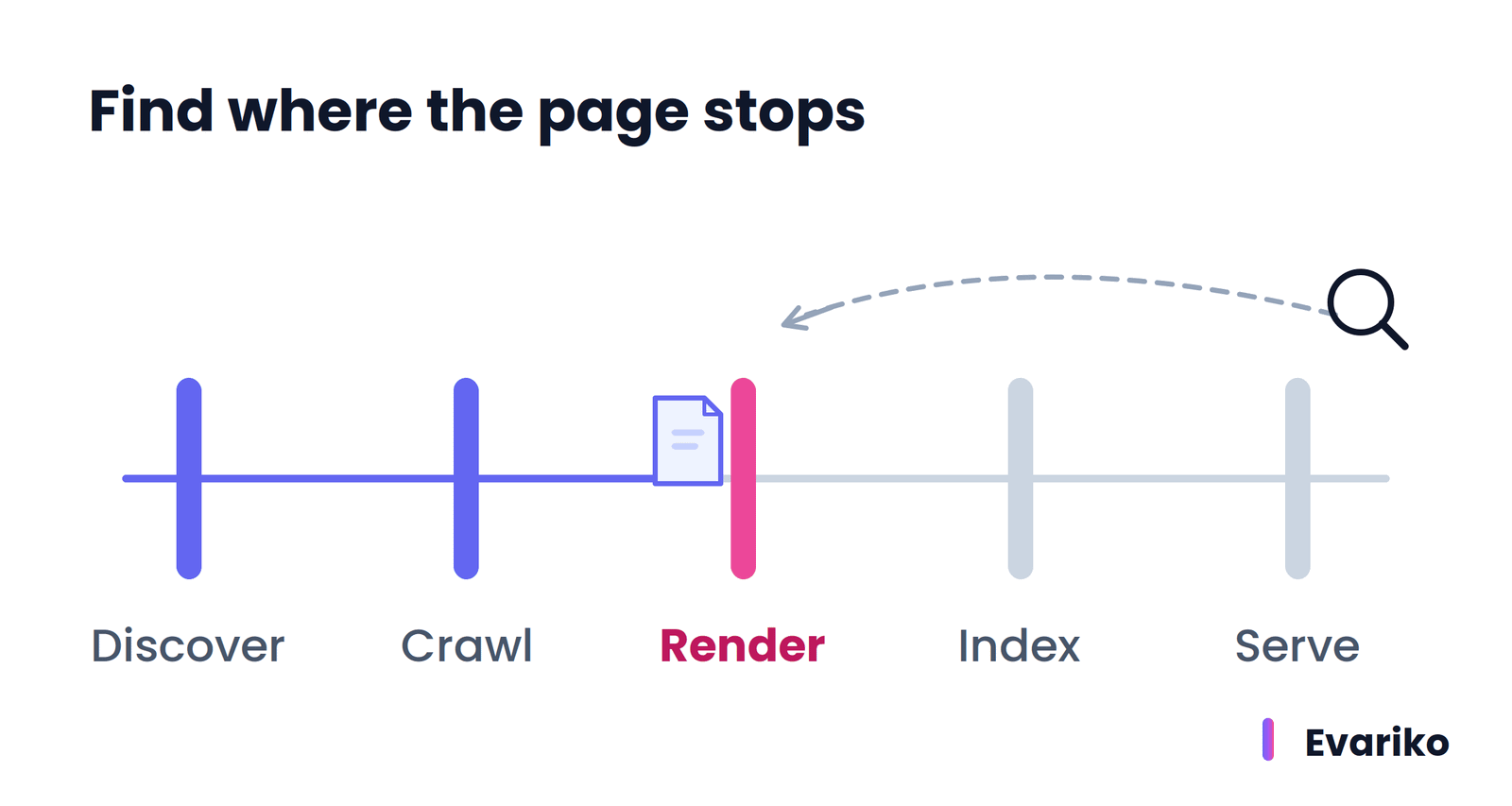
The table below maps the most common symptoms to their stage, where to check, and what to do next.
| Symptom in Search Console | Stage | Where to check | What it means | Next step |
|---|---|---|---|---|
| URL Inspection reports the URL as unknown to Google | Discovery | URL Inspection tool | Google has no path to the URL | Add internal links from crawled pages; add the URL to the sitemap |
| “Discovered – currently not indexed” | Crawling (queued) | Page indexing report | Google knows the URL and has not fetched it | Check server response times and internal links; on very large sites, review crawl budget |
| Blocked by robots.txt | Crawling | Page indexing report, URL Inspection | A robots.txt rule stops Googlebot | Remove the rule if the page should be found |
| Server errors (5xx) | Crawling | Page indexing report, Crawl Stats report | The server failed when Googlebot requested the page | Fix hosting or application errors |
| Main content missing from the rendered HTML | Rendering | URL Inspection live test, rendered HTML | JavaScript failed or was blocked | Serve content in the HTML; unblock required scripts |
| “Crawled – currently not indexed” | Indexing | Page indexing report | Google fetched the page and did not store it | Make the page distinct and useful; link to it from relevant pages |
| Excluded by a noindex rule | Indexing | Page indexing report, URL Inspection | The page tells Google not to index it | Remove noindex if the exclusion is unintended |
| “Duplicate, Google chose different canonical than user” | Indexing (canonicalization) | URL Inspection canonical fields | Another URL represents this content | Align redirects, sitemap and internal links, or accept Google’s choice |
| Indexed, but no impressions | Ranking and serving | Performance report | The page is eligible but not chosen for queries | Check relevance and search intent match |
How Do I Check If My Site Is Indexed by Google?
Check one page with the URL Inspection tool in Google Search Console, and check the whole site with the Page indexing report. The URL Inspection tool states whether a URL is on Google, when Google last crawled the URL, which canonical Google selected, and whether a live test finds any blocking problem. The Page indexing report (under Indexing, then Pages) groups every known URL into indexed and not indexed, with a reason for each excluded group.
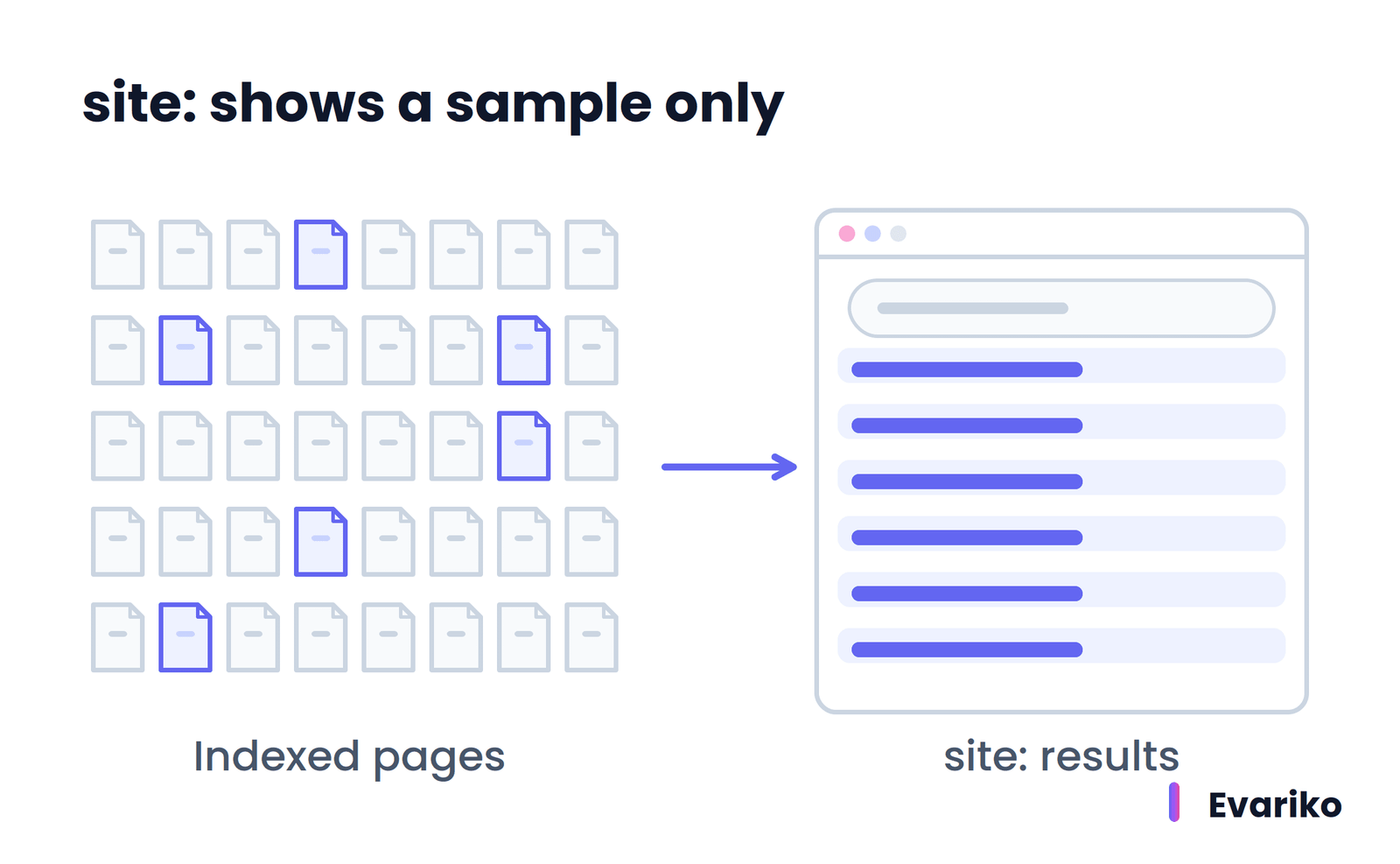
The site: search operator is a quick check, not a complete one. Google states that a site: query does not necessarily return every indexed URL, and that larger sites should not expect to see all their URLs. A URL missing from a site: search still needs a URL Inspection check before anyone concludes it is not indexed.
Setting up the property and reading each report is covered in the Google Search Console guide.
Why Is My Page Crawled but Not Indexed?
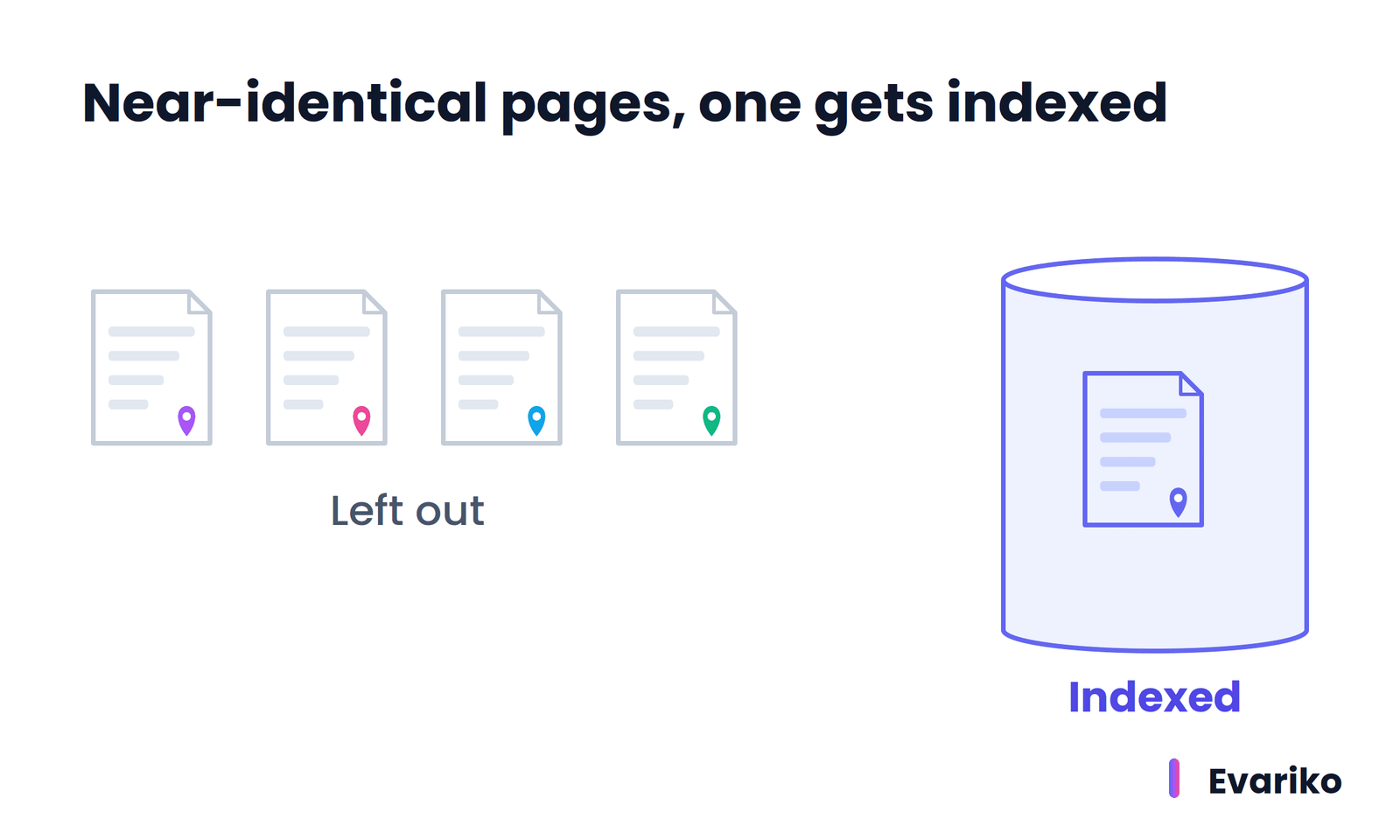
A page is crawled but not indexed when Google fetched the page and decided not to store it. The three most common causes are duplication (Google treats the page as a copy of another URL), low added value (the page says little that other indexed pages do not), and an indexing rule such as noindex. Google’s own list matches: low content quality, robots meta rules, and site designs that make indexing difficult.
Duplication is the cause to check first, because it is the cause site owners rarely see. Tag archives, filtered category URLs, and location pages that swap only the city name produce clusters of near-identical pages. Google indexes one URL from the cluster and leaves the others out.
Work through the cause in order. Compare the page against its closest sibling on the same site. Confirm the rendered HTML contains the full main content. Add internal links from relevant indexed pages. Then request indexing once through the URL Inspection tool. Persistent patterns across many URLs are an indexing issues problem with its own fix list.
How Long Does It Take Google to Index a New Page?
There is no fixed time for Google to index a new page. Google states that crawling takes anywhere from a few days to a few weeks, and that requesting a crawl does not guarantee the page appears in search results quickly or at all.
Google’s crawl budget guide adds that most sites should expect new pages to take several days minimum to be noticed, and that same-day crawling is realistic only for time-sensitive sites such as news publishers. For changes to an existing page, Google’s AI features guide states that recrawling takes anywhere from several days to several months, depending on how often Google’s systems judge the page needs refreshing.
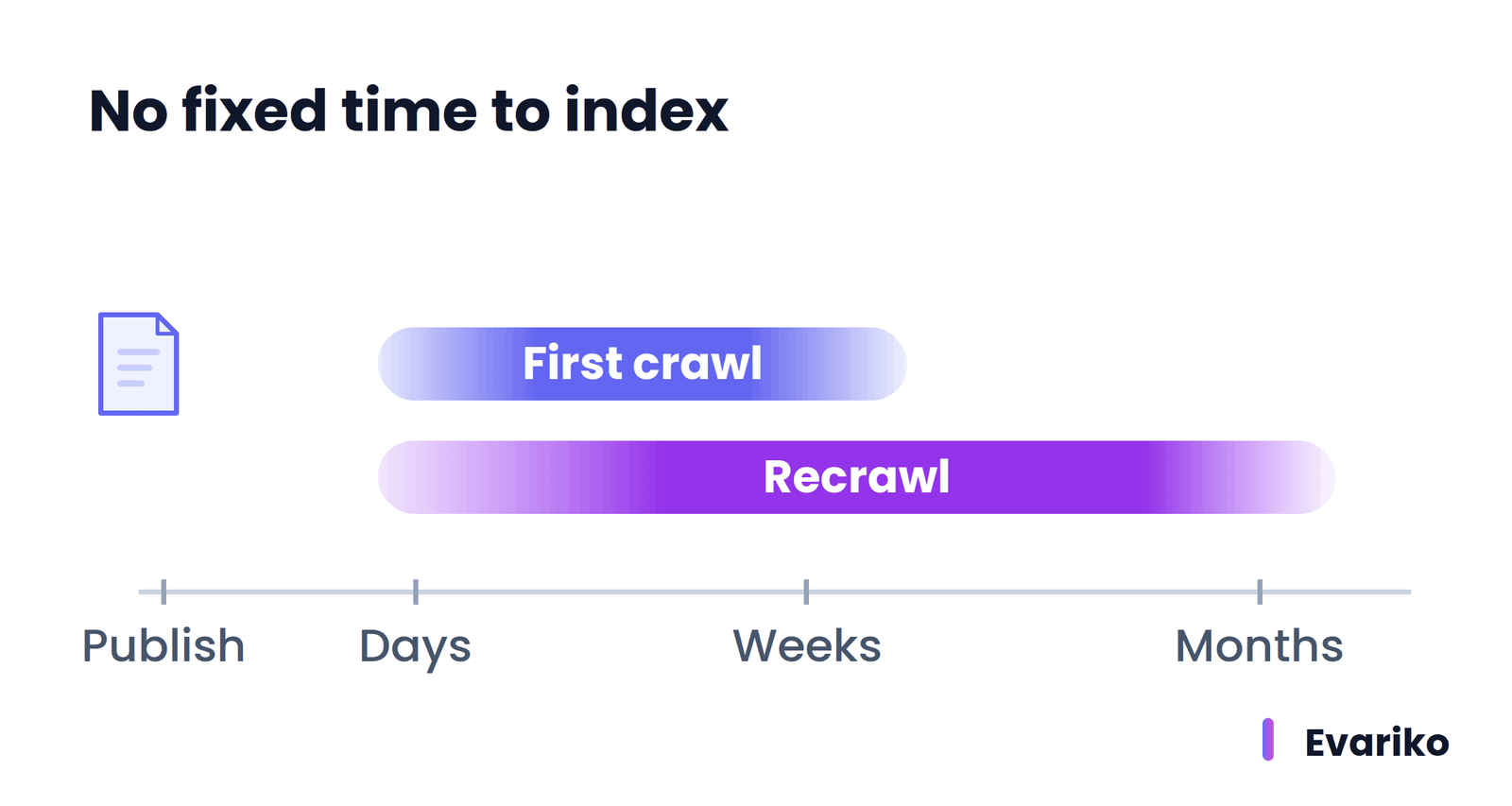
Four things drive the variation: how quickly Google discovers the URL, how much crawl demand the site has, how healthy the server is, and whether the page earns a place in the index once crawled. Any article that promises a fixed number of hours is guessing.
Requesting indexing helps a single URL, within limits. Google states that only an owner or full user of the Search Console property requests indexing, that a quota applies, and that requesting the same URL repeatedly does not speed up the crawl. If a page still has no crawl date after several weeks, the cause is discovery or crawl priority, not patience.
Why Do Indexed Pages Drop Out of Google?
Indexed pages drop out of Google when a recrawl finds a change that removes eligibility, when Google picks a different URL as canonical, or when Google decides the page no longer warrants a place in the index. Indexing is not permanent. Google recrawls indexed pages and re-applies every stage on each visit.
A recrawl that finds a noindex rule, a 404 status, or a redirect to a new URL removes or replaces the old entry.
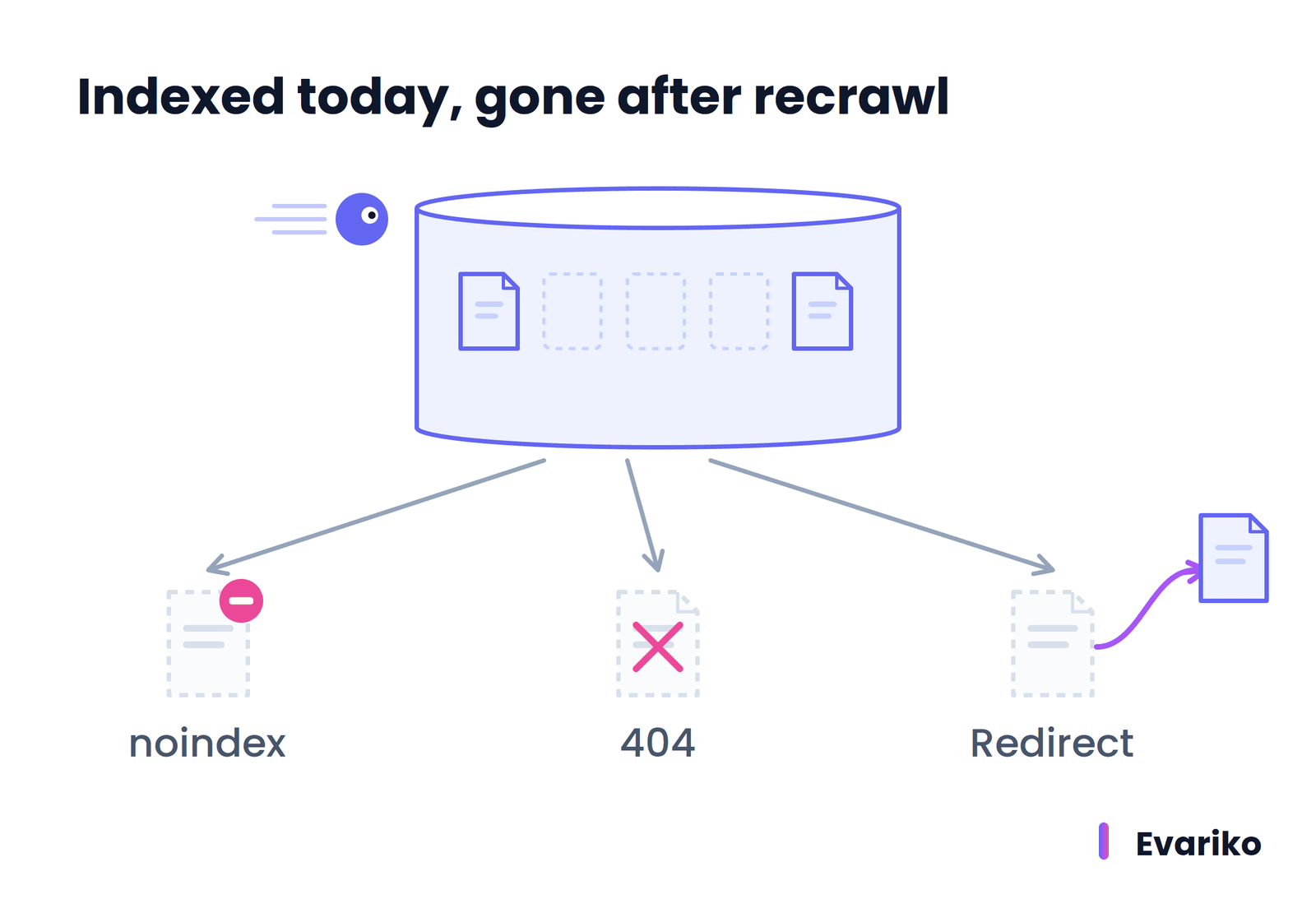
A new duplicate (for example, a copied product description on a newer URL) changes the canonical cluster. A site-wide drop in quality signals changes how many of the site’s pages Google keeps. Google publishes every confirmed ranking update on its Search Status Dashboard, which separates ranking movement from indexing problems when traffic falls.
Staying indexed is a technical maintenance task: clean redirects, consistent canonicals, healthy servers and content that keeps earning its place. That ongoing technical work is the scope of technical SEO.
Do Bing and Other Search Engines Work the Same Way?
Bing and other search engines follow the same general model of discovery, crawling, indexing and serving, with their own crawlers, indexes and ranking systems. Bing crawls with Bingbot and gives site owners Bing Webmaster Tools, which plays the role Google Search Console plays for Google.
The details differ. Google states that not every search engine supports every robots.txt rule and that different crawlers interpret robots.txt syntax differently. A robots.txt file that works for Googlebot still needs checking against each crawler the site cares about.
Can You Pay Google to Crawl or Rank a Site Faster?
No. Google states that it does not accept payment to crawl a site more often or to rank it higher. Paid placements appear only as labeled ads.
Does Requesting Indexing Guarantee That a Page Gets Indexed?
No. Requesting indexing asks Google to crawl the URL. Google still decides whether to index the page, and Google states that a request does not guarantee inclusion.
Does Blocking a Page in robots.txt Remove It from Google?
No. robots.txt stops crawling, not indexing. A blocked URL is still eligible to appear in Google, without a description, when other pages link to it. A noindex rule or password protection keeps a page out.
Does Every Website Need to Manage Crawl Budget?
No. Google’s crawl budget guidance is written for sites with more than 1 million pages, sites with more than 10,000 pages that change daily, and sites with many URLs stuck as discovered but not crawled.
Crawling, indexing, ranking and serving are the mechanics underneath every search engine optimization task. Writing content, fixing redirects and earning links each work by helping a page pass one of these stages, and the full set of those tasks is laid out in the beginner’s guide to search engine optimization.